
Every website accumulates dead links over time. Companies shut down, blogs get restructured, old resources get deleted, and nobody goes back to fix the damage. Broken link building is the practice of finding those dead links on other people’s websites, then reaching out to suggest your own working page as the replacement.
It’s one of the oldest tactics in SEO, and it still works in 2026 for one simple reason: you’re not asking for a favor, you’re pointing out something that’s already broken and offering to fix it.
This guide covers the full process end to end: how to find broken links using free tools, how to know which ones are actually worth chasing, how to write an outreach email that doesn’t sound like spam, and how to avoid the mistakes that waste the most time.
It also includes a comparison of the best free broken link checker tools available right now, since picking the right one saves hours.
What Counts as a Broken Link
A broken link is any link that no longer takes a visitor to a working page. The most common version is a straightforward 404 error, where the page has been deleted and the server has nothing to show. But broken links also include long redirect chains that eventually dead-end, links to a domain that’s expired entirely, and pages that technically load but return a “not found” message instead of real content.
For broken link building specifically, you’re looking for one particular pattern: a page that used to be genuinely useful, earned real backlinks while it existed, and is now gone.
That combination is what makes a broken link valuable. A dead link with zero backlinks pointing to it isn’t worth chasing, since fixing it wouldn’t earn you anything the site owner would actually care about.
Best Free Broken Link Checker Tools (Compared)
Here’s the honest picture: most of the top-ranking pages for broken link checker tools are the tools themselves, not articles about them, which tells you people mostly want to use a tool directly rather than read about one. So here’s a straight comparison of the ones actually worth using, based on what each one does well.
Tool | Cost | Best For | Limit | Notes |
Check My Links (Chrome extension) | Free | Scanning any single page fast | One page at a time | Highlights broken links in red directly on the page |
Ahrefs Broken Link Checker | Free | Checking a full domain | 100 broken links shown | No account needed, fastest way to check a competitor |
Dead Link Checker | Free | Scanning entire small sites | Reasonable for sites under ~1,500 pages | Runs a full crawl, emails results |
W3C Link Checker | Free | Technical, single-page validation | One page at a time | Also flags redirect chains, not just 404s |
Google Search Console | Free | Finding broken links on your own site | Unlimited (your site only) | Coverage report shows exact 404 URLs Google has found |
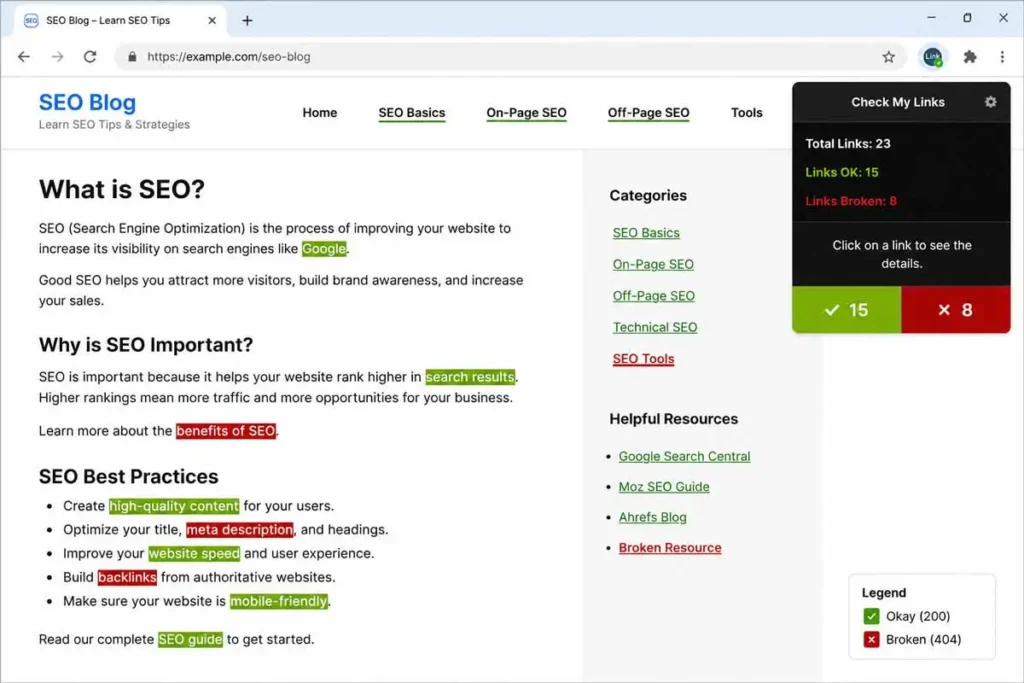
For most people starting out, the combination of Check My Links (for quick manual checks) and Ahrefs’ free broken link checker (for scanning an entire competitor domain at once) covers almost everything you need without paying for anything.
Step 1: Find Pages Worth Targeting
The fastest way to find broken link opportunities is to look at resource pages and roundup posts in your niche, since these pages tend to accumulate outdated links faster than regular articles. Search Google using phrases like your topic plus “useful resources,” “helpful links,” or “recommended reading,” then open each result and scan it with Check My Links.
Another strong source: competitor backlink profiles. If you’ve already run a backlink gap analysis against a competitor, some of the referring domains you found may have since gone offline or moved their content. Running that same list through a broken link checker often turns up opportunities you already half-qualified during the gap analysis.
Old, well-established pages tend to have the highest concentration of broken links simply because they’ve had more time to rot. A resource page published in 2019 that hasn’t been updated since is usually a better target than one published last month.
Step 2: Confirm the Link Actually Has Value
Before reaching out, check whether the dead page actually earned backlinks while it was alive. Paste the broken URL into a free backlink checker or the Wayback Machine to see its history. A page with zero historical backlinks and low traffic isn’t worth pursuing, since replacing it wouldn’t meaningfully help the site owner, and your pitch will read as opportunistic rather than genuinely useful.
A quick way to check without any tool at all: search the exact broken URL in quotes on Google. If other sites have linked to it, some of those citations will often show up in the results, giving you a rough sense of how much it was cited before it went dark.
Step 3: Make Sure Your Replacement Page Is Actually Better
This step gets skipped constantly, and it’s the difference between a pitch that gets accepted and one that gets ignored. Your replacement page needs to cover the same topic as the dead page, at least as thoroughly, and ideally with something extra: more current information, a clearer structure, or an example the original never had.
If your existing page doesn’t quite fit, it’s often faster to improve it slightly before pitching than to send outreach for a mismatched page and get a quiet no.
Step 4: Write an Outreach Email That Doesn’t Sound Like Spam
The single biggest mistake in broken link building is treating the outreach email like a form letter. Site owners get dozens of these, and the generic ones are easy to spot and easy to ignore. Here’s a structure that reads as genuinely helpful:
Subject line: mention the specific broken link, not a vague pitch. Example: “Found a dead link on your [topic] resource page”
Body: open by naming the exact page and the exact broken link. State plainly that it’s broken (a 404, in most cases). Mention your replacement only after that, framed as an optional suggestion, not a demand. Close by thanking them for the resource page itself, since that’s usually genuine, they put real effort into building it.
Avoid mentioning SEO, backlinks, or link building anywhere in the email. From the site owner’s side, this is a favor you’re doing them, not a trade you’re negotiating. The moment it reads like an SEO pitch, most people stop reading.
Step 5: Track and Follow Up Once, Not Five Times
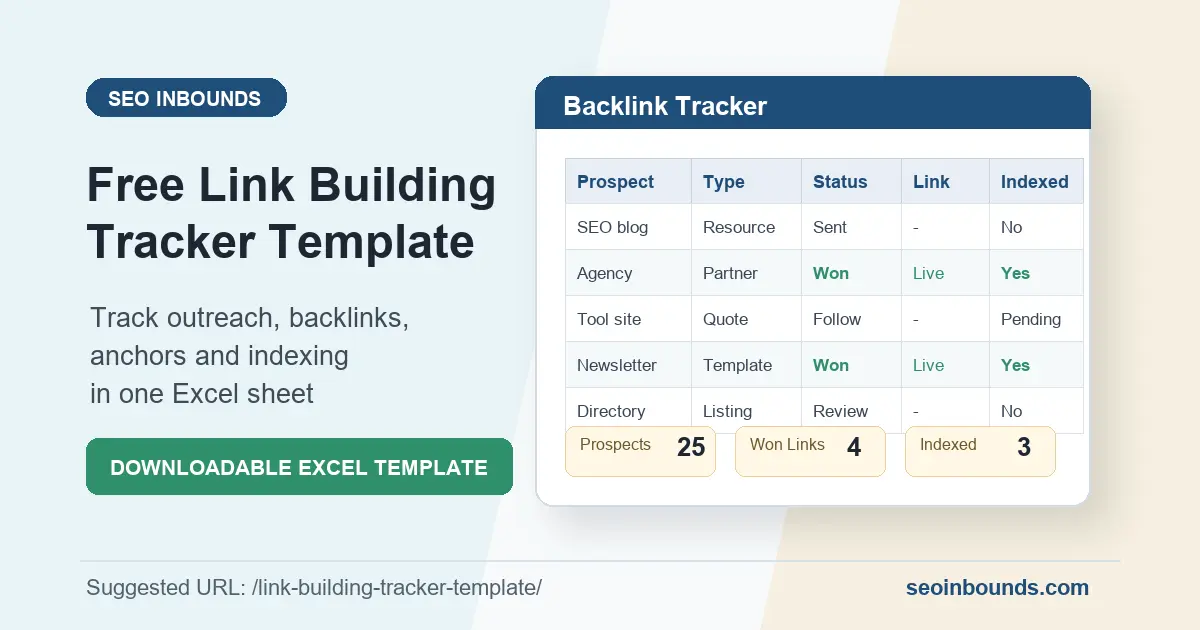
Keep a simple record of who you’ve contacted, which page, and the date. If you already maintain a link building tracker, add a broken-link-specific column for the dead URL you flagged, so you’re not duplicating outreach to the same site twice.
One polite follow-up after roughly a week is reasonable if you haven’t heard back. More than that starts to feel like pressure rather than a helpful nudge, and it can do more harm than good to how your brand is perceived.
Finding Broken Links on Your Own Site First
Before chasing links on other people’s sites, it’s worth checking your own. A broken link on your own page, whether it points to a dead external resource or a page you deleted internally, quietly damages user experience and wastes any authority that page had built up.
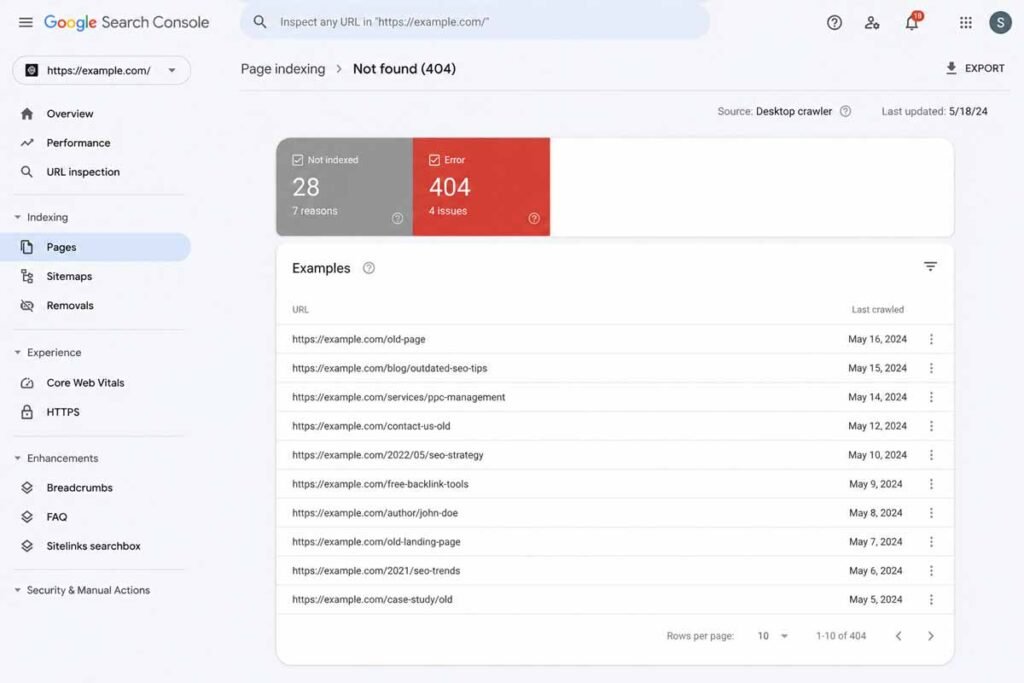
Google Search Console’s coverage report lists every URL on your site that Google has tried to crawl and failed to load properly, which makes it the fastest free way to find your own broken links without running a separate crawl tool. Fix these by either restoring the content, redirecting the URL to the closest relevant live page, or removing the internal links pointing to it.
Common Broken Link Building Mistakes
- Chasing dead links with no real backlink history: you’ll spend the same effort for a page nobody will notice was ever replaced.
- Sending the same templated pitch to fifty sites at once: site owners talk to each other, and copy-paste outreach gets flagged fast.
- Pitching a replacement page that’s actually weaker than the one that died: this is the single most common reason a reasonable pitch still gets ignored.
- Mentioning SEO or link building explicitly in the email: it reframes a helpful heads-up into a transaction, and most people respond worse to transactions.
- Giving up after one email: a single, polite follow-up roughly a week later meaningfully increases response rates without feeling pushy.
How to Prioritize When You Find Multiple Broken Links
A single resource page audit often turns up more dead links than you have time to pitch in one week. Rather than working through them in whatever order you found them, score each one quickly across three factors: how many backlinks the dead page used to have, how relevant the topic is to your replacement page, and how active the site currently looks (recent posts, recent comments, working contact information).
A dead link with a strong backlink history on an active, relevant site is worth pitching first. A dead link with no real backlink history on a site that hasn’t posted in two years belongs at the bottom of the list, if it stays on the list at all. Working through opportunities in this order means your best chances get your best-written emails, instead of your effort being spread evenly across targets that were never equally promising.
A Full Outreach Email Template You Can Actually Use
Here’s a complete example, not just a structure, so you can see how the pieces fit together in practice:
Subject: Quick heads up, broken link on your [topic] resources page Hi [Name], I was reading through your [exact page title] page and noticed the link to [dead page topic] under the [section name] heading is returning a 404, looks like that page has been taken down.
I actually put together a guide on the same topic a while back that covers [one specific thing the old page covered], plus [one thing your page adds that the old one didn’t]. Not asking you to use it, just flagging the broken link either way since I know how easy those are to miss: [your URL] Either way, thanks for putting together that resource page, it’s a genuinely useful list. [Your name]
Notice what this email does not do: it never says the words “SEO,” “backlink,” or “link building.” It leads with the problem, not the pitch, and it closes with a genuine compliment rather than a call to action. That combination consistently outperforms more formal, sales-style templates.
Redirects vs. True 404s: Which Is the Better Target
Not every dead link is a hard 404. Sometimes a page has been redirected to something only loosely related, like a category page or the site’s homepage instead of the specific content that used to live there.
These “soft” broken links are worth including in your outreach too, since the experience for a visitor clicking that link is nearly as broken as a true 404, even though the link technically still “works.”
True 404s tend to convert slightly better in outreach, since the problem is unambiguous and easy for the site owner to verify in five seconds. Redirect-based broken links take a little more explaining in your email, since you’re making a judgment call about relevance rather than pointing at an obvious error, but they’re still worth pursuing when the backlink history justifies it.
Best Niches for Broken Link Building
This tactic works better in some niches than others, mostly based on how often content in that space becomes genuinely outdated. Technology, software tools, and web design age quickly, since tools get discontinued, companies rebrand, and old screenshots stop matching current interfaces.
Educational and reference content, especially on university and government sites, tends to accumulate broken links for a different reason: pages get reorganized during site migrations and old URLs are abandoned without redirects.
Health, finance, and legal content usually have lower success rates for this specific tactic, since sites in those spaces tend to be more cautious about who they link to and slower to make outbound linking changes at all, broken or not.
A 30-Day Broken Link Building Plan
- Days 1–5: Identify 15–20 resource pages and roundup posts in your niche using search Scan each with a free broken link checker and log every dead link you find.
- Days 6–10: Check backlink history on each dead link using the Wayback Machine or a free backlink checker. Score and rank every opportunity using the prioritization method above.
- Days 11–15: Confirm or improve your replacement pages so each one is genuinely strong enough to justify the pitch.
- Days 16–22: Send personalized outreach emails to your top 15–20 prioritized targets, a handful per day rather than all at once.
- Days 23–30: Send one polite follow-up to anyone who hasn’t responded after a week, track which links go live, and note anything you’d do differently on the next round.
Where This Fits Into Your Broader Off-Page Strategy
Broken link building works best as one channel inside a wider system, alongside the tactics covered in getting backlinks without guest posting and the full off-page SEO checklist. It pairs especially well with a backlink gap analysis, since competitor referring domains are often where the best dead-link opportunities are hiding.
The honest summary: broken link building isn’t a fast win, and most emails still won’t get a reply no matter how well you write them. But it’s one of the few tactics where you’re offering something the site owner genuinely benefits from too, which is exactly why it still earns real, relevant backlinks in 2026 when done properly.
FAQ
What is broken link building in SEO?
Broken link building is the practice of finding dead or 404 links on other websites, then reaching out to suggest your own relevant, working page as a replacement. It earns backlinks by fixing a real problem for the site owner rather than asking for a link with nothing offered in return.
What’s the best free broken link checker tool?
Check My Links, a free Chrome extension, is the fastest option for checking a single page. Ahrefs’ free broken link checker is better for scanning an entire competitor domain at once. Google Search Console remains the best free option for finding broken links on your own site specifically.
How do I find broken links for backlinks?
Search for resource pages and roundup posts in your niche using phrases like “useful resources” or “helpful links,” then scan each page with a free broken link checker. Competitor backlink profiles, checked through a backlink gap analysis, are another strong source of dead-link opportunities.
Do broken links hurt my own SEO?
Yes, to a degree. Broken links on your own site create a poor user experience and waste any internal link equity flowing to that page. They won’t cause a major ranking penalty on their own, but fixing them is a quick, low-effort win worth doing regularly.
How long does broken link building take to show results?
Most outreach campaigns see response rates in the range of a few percent to around ten percent, even with well-written, personalized emails. Expect to send a meaningful volume of outreach to land a handful of real backlinks, and treat any single success as a good outcome rather than the norm.
Is broken link building better than guest posting?
They serve different purposes and work well together rather than competing. Broken link building tends to have a lower response rate but asks less of the site owner, since you’re pointing out an existing problem rather than requesting they publish new content. Guest posting requires more upfront work but can produce a more durable, contextual link when it succeeds.
Should I pitch redirect-based broken links, not just 404 errors?
Yes, though true 404s tend to get a slightly better response since the problem is instantly obvious. A link redirected to an unrelated page is still worth flagging, especially when the original dead page had a strong backlink history, but expect to spend a bit more of the email explaining why the current redirect isn’t serving the reader well.
How many broken link opportunities should I pitch per week?
Quality matters far more than volume here. Five to ten well-researched, personalized pitches sent over a week will usually outperform fifty generic ones sent the same day, both in response rate and in how your brand is perceived by the sites you’re contacting.
Can broken link building work for a brand new website with no content history?
Yes, as long as the replacement page you’re offering is genuinely strong. A new site has no reputation advantage, so the page itself has to do all the convincing. It’s often smarter for a new site to publish one or two exceptionally thorough pieces first and use those as the sole targets for broken link outreach, rather than spreading thin effort across many mediocre pages.



The post’s emphasis on reducing heat and preventing breakage is especially practical: length retention often depends as much on protecting existing strands as on encouraging growth. One useful addition is to tailor detangling and protective styles to hair texture, since routines that work for straight hair may not suit curls or coils.
Finding the broken link is only half the work; the replacement needs to match the original page’s intent closely enough to be a fair swap. Checking the archived version first can reveal what readers expected, making outreach more relevant and less likely to feel like a generic pitch.
Matching your replacement resource to the dead page’s original intent seems like the most overlooked part of broken link building. Editors respond better when your content fills the exact gap, not something loosely similar. Do you check the Wayback Machine first to judge that fit?