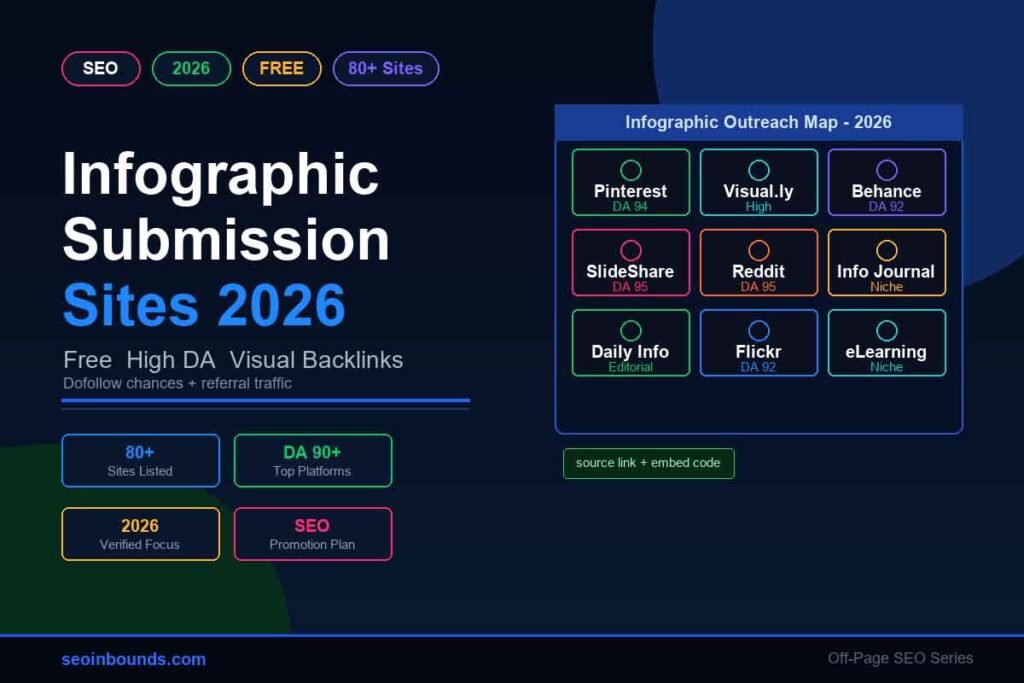
Infographic submission sites still have a place in off-page SEO in 2026, but only when you use them with a little patience and a lot of common sense. The old method was simple: upload one graphic to every directory you could find and hope a few backlinks appeared. That is not enough anymore.
A good infographic now needs a home page, a clean title, a short explanation, a source link, and a reason for another website to care. When you get those pieces right, infographic submission can help you earn referral traffic, image visibility, brand mentions, and the occasional backlink from people who reuse your visual with credit.
This 2026 list focuses on useful infographic submission websites, visual sharing platforms, document-sharing sites, and content curation sites. Some are dedicated infographic directories. Others are broader platforms where infographics perform well when the design is clear and the topic is genuinely helpful.
The best infographic submission sites in 2026 include Pinterest, SlideShare, Reddit, Behance, Flickr, Visual.ly, Daily Infographic, Infographic Journal, Infographics Archive, Cool Infographics, eLearning Infographics, Visualistan, Tumblr, Dribbble, Imgur, and Graphs.net. Publish the infographic on your own site first, then submit the original URL with a unique title and description on each platform.
What Are Infographic Submission Sites?
Infographic submission sites are platforms where you can upload, publish, curate, or pitch an infographic so it can reach a wider audience. The goal is not only to get a link. A strong submission can also send visitors, build topical relevance, make your brand visible in image search, and give bloggers or journalists a reason to reference your original page.
Think of infographic submission as the visual cousin of image submission sites. Image submission is broader and can include photos, graphics, screenshots, and product images. Infographic submission is more focused: you are promoting a data-led visual that explains one topic quickly.
That focus is what makes infographics useful for SEO. A good infographic can summarize statistics, compare tools, explain a process, or simplify a topic that people are already searching for. If it is easy to understand and easy to credit, it has a better chance of earning natural links than a plain promotional image.
Do Infographic Submission Sites Still Work for SEO in 2026?
Yes, but not in the lazy way people used them years ago. Infographic submission works best when it supports a wider content promotion plan. You should not expect every directory to give you a powerful dofollow backlink. Many links are nofollow, moderated, or changed by the platform over time.
That does not make them useless. Nofollow links can still send referral visitors. Visual platforms can help your graphic get found. Curated posts can create brand mentions. And a few strong editorial placements can lead to natural links from writers who discover your infographic and cite the original page.
For safer results, combine infographic submission with other white-hat promotion methods such as guest posting sites, social bookmarking sites, and selective free backlink submission sites. The goal is a natural mix, not one repeated footprint.
Top 20 Infographic Submission Sites for 2026
Start with these platforms before moving to the full list. They usually have better visibility, stronger audiences, or clearer value than low-quality directories.
| Site | URL | Authority | Link type | Best use |
| https://www.pinterest.com/ | 90+ | Nofollow | Visual discovery, niche boards, referral traffic | |
| SlideShare | https://www.slideshare.net/ | 90+ | Nofollow/varies | Turn the infographic into a slide or PDF upload |
| Reddit r/Infographics | https://www.reddit.com/r/Infographics/ | 90+ | Nofollow | Community visibility if the visual is useful |
| Behance | https://www.behance.net/ | 90+ | Mixed | Design portfolio, source credit, creative audience |
| Flickr | https://www.flickr.com/ | 90+ | Mixed | Image hosting, albums, source attribution |
| Visual.ly | https://visual.ly/ | 80+ | Varies | Dedicated infographic discovery |
| Daily Infographic | https://dailyinfographic.com/ | 70+ | Editorial | Pitch strong data-led visuals |
| Infographic Journal | https://infographicjournal.com/ | 60+ | Varies | Dedicated infographic directory |
| Infographics Archive | https://www.infographicsarchive.com/ | 50+ | Varies | Infographic directory and archive |
| Cool Infographics | https://coolinfographics.com/ | 50+ | Editorial | Best for well-designed, original data stories |
| eLearning Infographics | https://elearninginfographics.com/ | 50+ | Varies | Education and training visuals |
| Visualistan | https://www.visualistan.com/ | 50+ | Varies | Broad infographic publishing |
| Tumblr | https://www.tumblr.com/ | 85+ | Mixed | Visual microblogging and reblogs |
| Dribbble | https://dribbble.com/ | 90+ | Nofollow/mixed | Design teaser and portfolio discovery |
| Imgur | https://imgur.com/ | 90+ | Nofollow | Fast image hosting and social sharing |
| Graphs.net | https://graphs.net/ | 40+ | Varies | Infographic listing by topic |
| Submit Infographics | https://submitinfographics.com/ | 40+ | Varies | Dedicated submissions |
| Infographic Bee | https://infographicbee.com/ | 30+ | Varies | Free and paid infographic listings |
| Infographic Portal | https://www.infographicportal.com/ | 30+ | Varies | Infographic directory submissions |
| Love Infographics | https://www.loveinfographics.com/ | 30+ | Varies | Dedicated infographic publishing |
80+ Free Infographic Submission Sites List 2026
Use this list as a working database, not a blind blasting sheet. Platforms change their rules, moderation, and link behavior often, so check the submission page before uploading. The priority column shows where to spend your time first.
| # | Site | URL | Type | Priority |
| 1 | https://www.pinterest.com/ | Visual discovery | High | |
| 2 | SlideShare | https://www.slideshare.net/ | Slides/PDF | High |
| 3 | Reddit r/Infographics | https://www.reddit.com/r/Infographics/ | Community | High |
| 4 | Behance | https://www.behance.net/ | Design portfolio | High |
| 5 | Flickr | https://www.flickr.com/ | Image hosting | High |
| 6 | Visual.ly | https://visual.ly/ | Infographic platform | High |
| 7 | Daily Infographic | https://dailyinfographic.com/ | Editorial directory | High |
| 8 | Infographic Journal | https://infographicjournal.com/ | Directory | High |
| 9 | Infographics Archive | https://www.infographicsarchive.com/ | Directory | High |
| 10 | Cool Infographics | https://coolinfographics.com/ | Editorial | High |
| 11 | eLearning Infographics | https://elearninginfographics.com/ | Education | High |
| 12 | Visualistan | https://www.visualistan.com/ | Directory | High |
| 13 | Tumblr | https://www.tumblr.com/ | Microblog | High |
| 14 | Dribbble | https://dribbble.com/ | Design community | Medium |
| 15 | Imgur | https://imgur.com/ | Image community | Medium |
| 16 | Graphs.net | https://graphs.net/ | Directory | Medium |
| 17 | Submit Infographics | https://submitinfographics.com/ | Directory | Medium |
| 18 | Infographic Bee | https://infographicbee.com/ | Directory | Medium |
| 19 | Infographic Portal | https://www.infographicportal.com/ | Directory | Medium |
| 20 | Love Infographics | https://www.loveinfographics.com/ | Directory | Medium |
| 21 | Infographic List | https://infographiclist.com/ | Directory | Medium |
| 22 | Infographics Zone | https://www.infographicszone.com/ | Directory | Medium |
| 23 | Infographicsite | https://infographicsite.com/ | Directory | Medium |
| 24 | Infographic Post | http://www.infographicpost.com/ | Directory | Medium |
| 25 | Infographics Only | https://www.infographicsonly.com/ | Directory | Medium |
| 26 | Infographics Posters | https://www.infographicsposters.com/ | Directory | Medium |
| 27 | Infographic Plaza | https://infographicplaza.com/ | Directory | Medium |
| 28 | Cool Daily Infographics | https://www.cooldailyinfographics.com/ | Directory | Medium |
| 29 | I Love Charts | https://ilovecharts.tumblr.com/ | Charts | Medium |
| 30 | InfoCarnivore | https://infocarnivore.com/ | Directory | Medium |
| 31 | Infographics Mania | https://infographicsmania.com/ | Directory | Medium |
| 32 | OMG Infographics | http://www.omginfographics.com/ | Directory | Medium |
| 33 | Only Infographic | https://onlyinfographic.com/ | Directory | Medium |
| 34 | Infographic Database | https://infographicdatabase.com/ | Directory | Medium |
| 35 | Video Infographic | https://videoinfographic.com/ | Video infographic | Medium |
| 36 | Gifographics | https://gifographics.co/ | Animated infographics | Medium |
| 37 | DumbFunded Infographics | https://www.dumbfunded.co.uk/ | Finance/business | Medium |
| 38 | Shit Hot Infographics | https://www.shithot.co.uk/ | Infographic gallery | Medium |
| 39 | Media Caffeine | https://mediacaffeine.com/ | Marketing visuals | Medium |
| 40 | FlowingData | https://flowingdata.com/ | Data visualization | Pitch only |
| 41 | Information is Beautiful | https://informationisbeautiful.net/ | Data visualization | Pitch only |
| 42 | DeviantArt | https://www.deviantart.com/ | Creative portfolio | Medium |
| 43 | 500px | https://500px.com/ | Visual portfolio | Low |
| 44 | Pixabay | https://pixabay.com/ | Visual asset library | Low |
| 45 | Pexels | https://www.pexels.com/ | Visual asset library | Low |
| 46 | Unsplash | https://unsplash.com/ | Visual asset library | Low |
| 47 | Freepik | https://www.freepik.com/ | Design assets | Medium |
| 48 | Vecteezy | https://www.vecteezy.com/ | Design assets | Medium |
| 49 | LinkedIn Articles | https://www.linkedin.com/ | Professional publishing | High |
| 50 | Medium | https://medium.com/ | Republished summary | High |
| 51 | Blogger | https://www.blogger.com/ | Web 2.0 property | Medium |
| 52 | WordPress.com | https://wordpress.com/ | Web 2.0 property | Medium |
| 53 | Substack | https://substack.com/ | Newsletter/blog | Medium |
| 54 | Quora Spaces | https://www.quora.com/spaces | Community publishing | Medium |
| 55 | Scoop.it | https://www.scoop.it/ | Content curation | Medium |
| 56 | https://flipboard.com/ | Content curation | Medium | |
| 57 | Diigo | https://www.diigo.com/ | Bookmarking | Medium |
| 58 | Wakelet | https://wakelet.com/ | Collection page | Medium |
| 59 | Pearltrees | https://www.pearltrees.com/ | Content collection | Low |
| 60 | Padlet | https://padlet.com/ | Visual board | Low |
| 61 | Notion Public Pages | https://www.notion.so/ | Public resource page | Low |
| 62 | Facebook Pages | https://www.facebook.com/ | Social promotion | Medium |
| 63 | X | https://x.com/ | Social promotion | Medium |
| 64 | https://www.instagram.com/ | Social promotion | Medium | |
| 65 | Threads | https://www.threads.net/ | Social promotion | Medium |
| 66 | Mastodon | https://joinmastodon.org/ | Social promotion | Low |
| 67 | MobyPicture | https://www.mobypicture.com/ | Image sharing | Low |
| 68 | Photobucket | https://photobucket.com/ | Image hosting | Low |
| 69 | JustPaste.it | https://justpaste.it/ | Quick publishing | Low |
| 70 | Issuu | https://issuu.com/ | PDF/magazine | Medium |
| 71 | Scribd | https://www.scribd.com/ | Document sharing | Medium |
| 72 | Calameo | https://www.calameo.com/ | Document sharing | Medium |
| 73 | Yumpu | https://www.yumpu.com/ | Digital magazine | Medium |
| 74 | Speaker Deck | https://speakerdeck.com/ | Deck sharing | Medium |
| 75 | DocDroid | https://www.docdroid.net/ | PDF sharing | Low |
| 76 | Publitas | https://www.publitas.com/ | Digital publishing | Low |
| 77 | AnyFlip | https://anyflip.com/ | Flipbook | Low |
| 78 | Flipsnack | https://www.flipsnack.com/ | Flipbook | Low |
| 79 | Paperturn | https://www.paperturn.com/ | Flipbook | Low |
| 80 | Infogram | https://infogram.com/ | Interactive infographic | Medium |
| 81 | Piktochart | https://piktochart.com/ | Public visual page | Medium |
| 82 | Venngage | https://venngage.com/ | Public visual page | Medium |
| 83 | Visme | https://www.visme.co/ | Public visual page | Medium |
| 84 | Easel.ly | https://www.easel.ly/ | Infographic builder | Low |
| 85 | Canva Public Design | https://www.canva.com/ | Public design link | Low |
| 86 | GitHub Pages | https://pages.github.com/ | Hosted resource page | Low |
How To Choose the Right Infographic Submission Websites
Not every infographic submission website deserves your time. A small, relevant platform can be better than a big site where your graphic disappears in a day. Before you submit, check these simple points:
- The site still publishes fresh content in 2026.
- The topics match your niche or audience.
- The published pages are indexed by Google.
- The platform allows a source link, creator credit, or profile link.
- The site is not overloaded with spam, casino links, scraped images, or thin auto-generated pages.
- The submission process lets you add a unique title, summary, tags, and image alt text.
If a site looks abandoned, skip it. If it demands payment but gives no editorial value, skip it. If every page is packed with unrelated outbound links, skip it. You are building trust around your visual, not collecting random URLs.
Publish the Original Infographic First
Before you submit the infographic anywhere, publish it on your own website. This gives Google and users a clear original source. It also gives every platform a clean URL to credit.
After publishing, submit the page to Google and Bing through your normal indexing process. If you need the exact steps, use this guide on free URL submission to search engines.
Your original page should include:
- A descriptive H1 that includes the main topic.
- A short introduction explaining what the infographic covers.
- The infographic image with a descriptive filename and alt text.
- A text summary below the image so the page is not thin.
- A source section for statistics or references used in the visual.
- An embed code that makes it easy for bloggers to reuse the infographic with credit.
Google’s image SEO guidance still points toward simple fundamentals: use descriptive filenames, helpful alt text, relevant surrounding text, and pages that make the image easy to understand. Infographic submission works better when your original page follows those basics.
Step-by-Step Infographic Submission Process
- Create one strong infographic around a specific topic. Avoid vague graphics like ‘SEO tips’ unless the data is genuinely useful.
- Export a compressed PNG or JPG for image platforms and a PDF version for document-sharing platforms.
- Publish the original infographic on your own website first.
- Write three to five title variations so every submission does not look copied.
- Prepare a 100-word, 200-word, and 300-word description. Rewrite the first two lines for every platform.
- Add your source URL naturally. Use your brand name or the infographic title as the anchor when possible.
- Submit to the top 10 to 20 platforms first. Wait for approvals and indexing before expanding.
- Track accepted links, referral visits, indexing, and any mentions that do not link back.
- Promote the published infographic through social, email outreach, and related content pages.
Submission Template You Can Use
Use this as a base, then rewrite it for each platform.
Title: [Infographic Topic] – 2026 Visual Guide
Short Description:
This infographic explains [topic] with a simple visual breakdown of [main points]. It is useful for [audience] who want to understand [benefit/problem].
Source:
Originally published by [Brand Name] at [Original URL].
Tags:
[primary topic], infographic, data visualization, SEO, marketing, 2026
Dofollow Infographic Submission Sites: What To Know
Many people search for dofollow infographic submission sites, but this is where you need to be careful. Link attributes change. Some sites allow dofollow links in profiles but not in posts. Some use redirects. Some remove links during moderation. Others add nofollow automatically.
The best approach is to treat dofollow links as a bonus, not the whole strategy. A nofollow link from a real platform with actual readers is usually safer than a dofollow link from a thin page nobody visits.
If you do find a platform that gives a clean source link, use branded or natural anchor text. Do not force exact-match anchors like ‘best infographic submission sites’ everywhere. That pattern can look artificial fast.
Infographic SEO Checklist Before Submission
- Use a descriptive file name such as infographic-submission-sites-2026.png.
- Compress the image without making the text blurry.
- Add alt text that describes the visual in plain language.
- Place the infographic near relevant text on the original page.
- Add a short text version or summary for readers who do not want to zoom into the image.
- Include source links for any statistics, charts, or claims.
- Add Open Graph and Twitter/X image tags so the graphic shares cleanly.
- Create a PDF or slide version for document-sharing platforms.
- Write a unique description for every important submission.
- Track submitted URLs in a spreadsheet so you do not repeat or lose them.
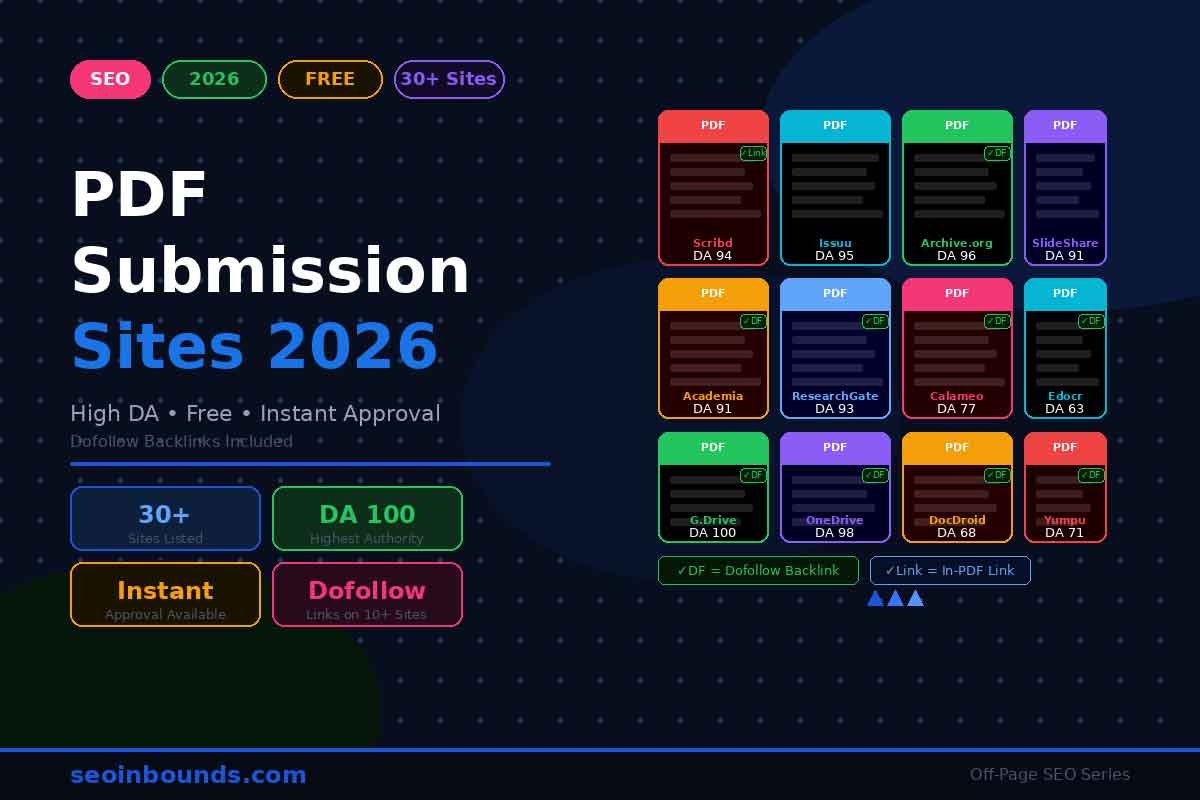
You can also turn the infographic into a short PDF guide and submit it to PDF submission sites. If the topic deserves a longer explanation, convert it into a companion post and promote it through article submission sites.
A Simple Embed Code for Infographic Backlinks
An embed code makes attribution easier. Some bloggers will still copy the image without credit, but many will use the ready-made code if it is placed directly below the infographic.
<p>
<a href=”https://seoinbounds.com/infographic-submission-sites/”>
<img src=”https://seoinbounds.com/wp-content/uploads/2026/05/infographic-submission-sites-2026.png”
alt=”Infographic Submission Sites 2026″
width=”800″ />
</a>
</p>
<p>
Source: <a href=”https://seoinbounds.com/infographic-submission-sites/”>SEO Inbounds</a>
</p>
Keep the embed code clean. Do not stuff it with keyword-rich anchors. A natural source credit is safer, easier to approve, and more likely to stay live.
How To Repurpose One Infographic Into More SEO Assets
One good infographic should not live in one format only. Repurposing helps you reach different platforms without posting the same thing everywhere.
- Pinterest version: crop the graphic into a vertical pin with a short title.
- LinkedIn version: post the graphic with a professional summary and one takeaway.
- SlideShare version: split the infographic into 6 to 10 slides.
- PDF version: add a cover page, the infographic, and a short explanation.
- Web 2.0 version: publish a short commentary post with the visual embedded.
- Social bookmarking version: submit the original page after it is live and indexed.
This is where your existing cluster helps. A repurposed version can fit naturally into Web 2.0 submission sites, while the original page can be seeded through social bookmarking sites.
Common Infographic Submission Mistakes
| Mistake | Better approach |
| Submitting before publishing the original page | Always publish on your site first so other platforms can credit the source. |
| Using the same description everywhere | Rewrite titles and summaries so submissions do not look copied. |
| Chasing dofollow links only | Referral traffic, brand mentions, and image visibility matter too. |
| Ignoring mobile readability | If the infographic text is tiny on a phone, people will not share it. |
| Uploading without sources | Data visuals need trust. Add sources for statistics and claims. |
| Submitting to spammy directories | A weak directory can do more harm than good if it creates an unnatural footprint. |
| Forgetting tracking | Use a spreadsheet to monitor submitted, approved, indexed, rejected, and follow-up status. |
30-Day Infographic Promotion Plan
| Timeline | Action |
| Days 1-3 | Publish the original page, optimize image SEO, add embed code, submit the URL for indexing. |
| Days 4-7 | Submit to the top 10 high-priority infographic and visual platforms. |
| Days 8-14 | Repurpose into Pinterest, SlideShare, PDF, and LinkedIn versions. |
| Days 15-21 | Submit to niche directories and email a short pitch to bloggers who cover the topic. |
| Days 22-30 | Check approvals, track referral traffic, reclaim unlinked mentions, and add internal links from related articles. |
Final Thoughts
Infographic submission sites are not magic ranking buttons. They are distribution points. If the infographic is thin, copied, or hard to read, submitting it to 80 sites will not make it useful. But if the visual explains something better than a normal blog post, submission can help the right people find it.
Start with your strongest 10 to 20 platforms, track what gets approved, and build from there. Then support the infographic with related content, internal links, and keyword research from your trending SEO keywords process. That is how infographic backlinks become part of a real 2026 off-page SEO strategy instead of another empty list-building exercise.
FAQs About Infographic Submission Sites
What are infographic submission sites?
Infographic submission sites are websites where you can publish, upload, curate, or pitch an infographic so more people can discover it. Some are dedicated infographic directories, while others are visual platforms, document-sharing sites, social communities, or Web 2.0 publishing sites.
Are infographic submission sites good for SEO in 2026?
Yes, but only when the infographic is useful and submitted to relevant platforms. The safest SEO value comes from referral traffic, brand mentions, image visibility, and natural source links. Low-quality mass submission can create spam signals, so choose sites carefully.
Do infographic submission sites give dofollow backlinks?
Some may provide dofollow links, but many use nofollow or change link behavior over time. Treat dofollow links as a bonus. Your main goal should be visibility, source attribution, and earning editorial links from people who reuse or reference your graphic.
Should I publish the infographic on my own website first?
Yes. Publish the original infographic on your own page first, optimize the filename and alt text, add supporting copy, include an embed code, and then submit or share that original URL on other platforms.
What is the best format for infographic submission?
Use a compressed PNG or JPG for image platforms and a PDF version for document-sharing platforms. Keep the file readable on mobile, name it with a descriptive keyword, and add a short text summary wherever the platform allows it.
How many infographic sites should I submit to?
Start with 10 to 20 strong platforms instead of blasting every site at once. After the first round, track which sites index, send referral traffic, or accept the visual, then expand to more relevant directories and curation platforms.
Can I reuse the same description on every site?
Avoid copying the same description everywhere. Keep the core message consistent, but rewrite the opening, title, and summary for each platform so the submission looks natural and useful.
How do I get backlinks from infographics?
Host the original infographic on your site, add a clear source link, include an embed code, pitch relevant bloggers or journalists, and submit the visual to platforms where your audience already spends time.