Internal links are not just for navigation.
They are one of the cleanest ways to help Google find your important pages, understand how they relate to each other, and decide which URLs deserve crawl attention.
That is why internal linking for indexing matters.
If a page has no internal links, Google might still find it from your XML sitemap. But discovery is not the same as crawling. And crawling is not the same as indexing.
A sitemap can say:
This URL exists.
Internal links can say:
This URL matters.
That difference is huge when you are trying to fix indexing issues like Discovered – currently not indexed or Crawled – currently not indexed.
Google’s own documentation explains that Google discovers pages through links and sitemaps, and its link best practices explain why crawlable links and descriptive anchor text matter. So if your important pages are buried, orphaned, or only listed in a sitemap, internal linking is one of the first things to fix.
This guide shows you how to use internal links for SEO, crawlability, indexing, and topic clusters without stuffing anchors or making your content look forced.
Quick Answer
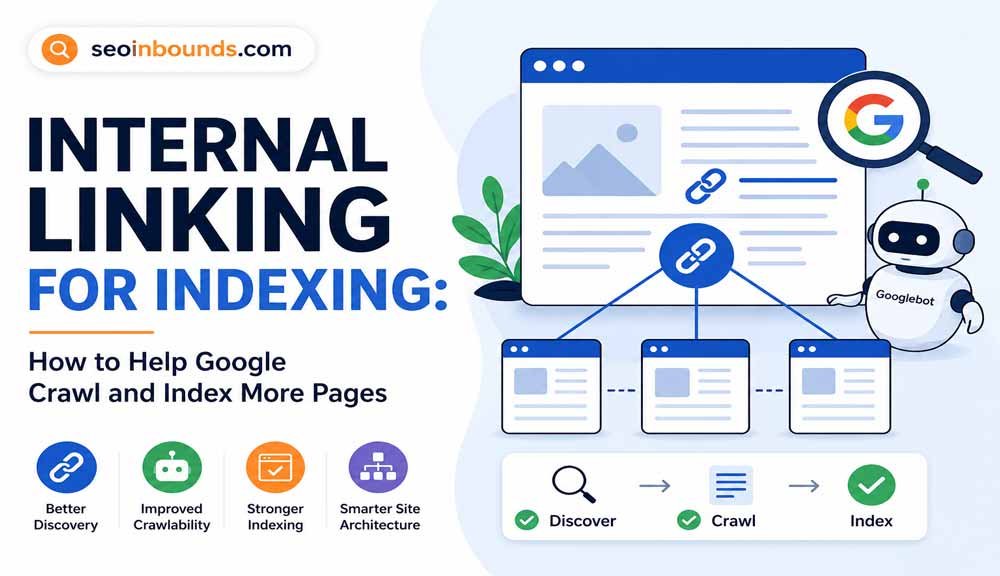
Internal linking for indexing means adding useful links between pages on your own site so Googlebot can discover, crawl, understand, and prioritize your important URLs.
Here is the simple version:
| Problem | Internal linking fix |
| Page is orphaned | Link to it from relevant indexed pages. |
| Page is discovered but not crawled | Add contextual links from strong pages to improve crawl priority. |
| Page is crawled but not indexed | Add links from related pages and improve the page’s usefulness. |
| Page is buried too deep | Move it closer to hubs, categories, and high-value pages. |
| Google does not understand the topic | Use descriptive anchor text and link within a clear topic cluster. |
| Sitemap is doing all the work | Support the sitemap with real internal links. |
The goal is not to add random links.
The goal is to make the right pages easier to find, easier to understand, and easier to trust.
How Internal Links Help Google Index Pages
Before a page can rank, Google usually has to move through these stages:
- Discover the URL
- Crawl the page
- Process the content
- Decide whether to index it
- Decide where it can rank
Internal links can help at several points in that process.
They help Google discover URLs because Googlebot follows links from known pages to new pages.
They help crawling because crawlable links give Google a clean path through your site.
They help indexing because links give context. The anchor text, surrounding sentence, source page, and destination page all help explain what the linked page is about.
They help priority because a page linked from important pages usually looks more important than a page that lives alone.
That is the real connection between Google indexing internal links and your Search Console results.
Internal links do not guarantee indexing.
But weak internal links can absolutely make indexing harder.
Internal Links vs XML Sitemap
An XML sitemap is useful.
You should have one.
But a sitemap is not a replacement for internal links.
| Signal | What it does | What it does not do |
| XML sitemap | Helps Google discover URLs you want crawled. | Does not prove the page is important. |
| Internal links | Help users and Google move through your site. | Do not guarantee every linked page will be indexed. |
| External links | Can help discovery and authority. | Are harder to control. |
| URL Inspection tool | Helps test and request indexing for one URL. | Does not fix weak site architecture by itself. |
If a URL appears in your sitemap but has no internal links, it can still feel low priority.
That is why sitemap-only pages often struggle.
Google’s sitemap documentation also makes the practical point: a sitemap can help discovery, but it does not guarantee that every submitted URL will be crawled or indexed.
For example, if you publish a new guide and only submit it through Search Console, Google may discover it. But if no indexed page links to it, Googlebot has less reason to crawl it quickly.
For a clean publishing workflow, use both:
- Add the URL to your XML sitemap
- Link to the URL from relevant indexed pages
- Link back from the new article to related pages
- Request indexing after the page is live and internally linked
If you need the submission side, use this guide: free URL submission to search engines.
Why Orphan Pages Do Not Get Indexed
An orphan page is a page with no internal links pointing to it.
It may exist.
It may be live.
It may even be in the sitemap.
But if no other page links to it, Google and users have no natural path to reach it.
That is a problem for indexing.
Orphan pages usually happen when:
- A post is published but never added to a hub
- A page is removed from navigation
- A category page does not link to old content
- Related posts are missing
- A WordPress plugin creates URLs automatically
- Old content is still live but disconnected
- A new article is uploaded and left alone
This is one of the simplest technical SEO problems to fix.
You do not need a complicated tool to understand the issue.
Ask one question:
Can a user reach this page by clicking normal links from other relevant pages?
If the answer is no, Googlebot may also have a weaker path.
Internal Links and Crawlability
Internal links and crawlability are connected.
Google’s link guidance is clear about one important technical point: links should be crawlable. In plain English, that means your important links should use normal HTML anchor elements with real href attributes.
Good:
<a href=”/internal-linking-for-indexing/”>Internal linking for indexing</a>
Risky:
<span onclick=”goToPage()”>Internal linking for indexing</span>
If your links rely too heavily on scripts, buttons, click events, or empty anchors, Google may not treat them the same way as normal crawlable links.
For most WordPress sites, normal links inside the content editor are fine.
But you should be careful with:
- JavaScript-only navigation
- Tabs that hide important links
- Load-more buttons
- Related post widgets that do not render in HTML
- Links inside sliders
- Empty image links with no alt text
- Plugin-generated blocks that Google cannot render cleanly
Use the URL Inspection tool if you are unsure. Test the live URL and check whether Google can see the links in the rendered HTML.
How Internal Links Improve Crawl Priority
Crawl priority is not a single number you can see in Search Console.
But you can influence it.
A URL linked from your homepage, a strong hub page, and three related posts usually looks more important than a URL buried on page 14 of your blog archive.
That is why internal linking for crawl budget matters.
Googlebot has to choose which URLs to fetch and how often. If your site has many low-value URLs, duplicate pages, tag archives, and orphan pages, crawl attention can get diluted.
Internal links help you point Google toward what matters.
Important pages should have:
- Links from related indexed pages
- Links from topic hubs
- Links from category pages
- Descriptive anchor text
- A clear position in the site architecture
- Supporting content linking back to them
This does not mean every page needs 50 internal links.
It means your best pages should not look isolated.
The Best Internal Link Locations
Not every internal link has the same value for users.
The best links are placed where the reader actually needs them.
1. Inside the Introduction
Use this when the linked page gives important context.
Example:
If your URL is already crawled but still missing from Google, read this guide on Crawled – currently not indexed.
This helps readers choose the right problem fast.
It also helps Google understand how your indexing articles relate to each other.
2. Inside a Relevant Explanation
Contextual links are powerful because the surrounding sentence gives meaning.
Example:
If Search Console says the URL was found but not crawled, start with the dedicated guide on Discovered – currently not indexed.
That is better than a random sidebar link because it appears exactly where the reader needs it.
3. In Comparison Sections
Comparison pages are excellent for internal links.
If you mention two related problems, link to the deeper guide for each.
Example:
The difference between Discovered vs Crawled – Currently Not Indexed matters because one issue starts before crawling and the other happens after crawling.
This creates a clean cluster.
4. In Checklists
Checklist links work well when they help the reader take action.
Example:
- Submit the URL through Search Console
- Add internal links from relevant pages
- Check whether the page is stuck in the page indexing report
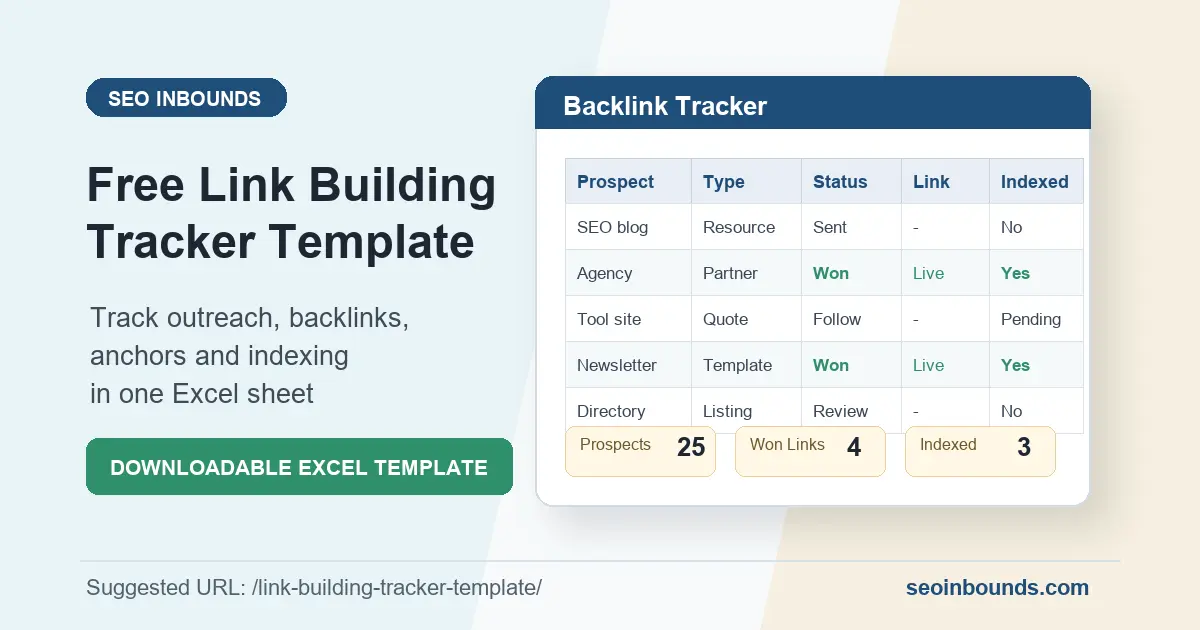
- Use a tracker like the link building tracker template to monitor pages and links
The link is useful because it supports the workflow.
5. In Topic Hubs
A topic hub is a central page that links to related articles.
For your indexing cluster, a small hub could link to:
- Discovered – currently not indexed
- Crawled – currently not indexed
- Discovered vs Crawled – Currently Not Indexed
- Internal linking for indexing
- Free URL submission to search engines
This helps users move through the topic without searching your site manually.
It also makes the cluster easier for Googlebot to crawl.
Anchor Text Examples
Anchor text matters because it tells users and Google what the linked page is about.
Good anchor text is:
- Descriptive
- Natural
- Short enough to read
- Relevant to the source page
- Relevant to the destination page
Bad anchor text:
- click here
- read more
- this article
- website
- best complete ultimate SEO internal link indexing Google crawl budget guide
That last one is the problem many people create.
They try to force every keyword into one anchor.
Do not do that.
Use a natural mix.
Anchor Text Table
| Page you are linking to | Good anchor text examples |
| Discovered – currently not indexed | Discovered – currently not indexed, Google found the URL but has not crawled it, Google discovered but not crawled |
| Crawled – currently not indexed | Crawled – currently not indexed, Google crawled but did not index the page, crawled but not indexed |
| Discovered vs Crawled | Discovered vs Crawled – Currently Not Indexed, difference between discovered and crawled not indexed, Search Console indexing statuses |
| URL submission guide | free URL submission to search engines, submit a URL to Google, request indexing correctly |
| Off-page SEO checklist | off-page SEO checklist, off-page SEO process, SEO checklist |
| Link tracker | link building tracker template, track internal links and backlinks, link tracking template |
Use exact-match anchors sometimes.
Use partial-match anchors often.
Use branded or natural anchors when they fit.
That keeps the internal linking strategy clean.
Internal Linking Strategy for New Articles
Every new article should have an internal link plan before it goes live.
Here is a simple workflow.
Step 1: Choose the Main Cluster
Ask:
What topic does this page belong to?
For this article, the cluster is technical SEO and indexing issues.
So the natural internal links are:
- Discovered – currently not indexed
- Crawled – currently not indexed
- Discovered vs Crawled – Currently Not Indexed
- Free URL submission to search engines
Do not link to unrelated pages just because you want more internal links.
Relevance matters.
Step 2: Add Links From Older Indexed Pages
New pages need help.
After publishing, go back to older indexed pages and add links to the new article.
For this article, good source pages would be:
- Discovered – currently not indexed
- Crawled – currently not indexed
- Discovered vs Crawled – Currently Not Indexed
- Free URL submission to search engines
- Off-page SEO checklist
Use internal links from pages that already have search visibility or are part of the same topic.
This is one of the fastest ways to help Google index pages that are new.
Step 3: Link From the New Article Back to the Cluster
Do not only add links pointing into the new page.
The new article should also link out to related internal pages.
That helps users continue.
It also makes the cluster feel connected.
For example, this article links to indexing guides because internal linking is often the fix for those Search Console issues.
It can also link to broader SEO resources like your off-page SEO checklist when the context is about building a stronger site beyond technical fixes.
Step 4: Add a Related Guides Block
At the end of the article, add a small related guides section.
Example:
Related guides:
- Discovered – currently not indexed
- Crawled – currently not indexed
- Free URL submission to search engines
- Off-page SEO checklist
This helps users.
It also gives Google a clean set of cluster links near the end of the page.
Step 5: Track the Results
Internal linking is not a one-time task.
Track:
- Which pages received new links
- Which anchor text you used
- Which pages are still not indexed
- Which URLs improved in Search Console
- Which pages need more support
You can use a simple spreadsheet or adapt a link building tracker template for internal links as well.
Internal Linking Checklist for Indexing
Use this before publishing a new article.
| Check | Why it matters |
| Page is linked from at least 3 relevant pages | Helps Googlebot find the URL faster. |
| Page links back to related cluster pages | Builds topical relationships. |
| Main anchor text is descriptive | Helps users and Google understand the destination. |
| Links are crawlable HTML links | Improves internal links and crawlability. |
| Page is no more than 3 clicks from a strong page | Reduces page depth. |
| URL is in the XML sitemap | Supports discovery. |
| Page is not orphaned | Prevents isolation. |
| Related guide block is added | Improves user flow. |
| URL is checked with URL Inspection tool | Confirms Google can access the page. |
| Page indexing report is monitored | Shows whether indexing improves. |
For important pages, do not stop at one internal link.
One link is better than none.
But a money page, pillar guide, or key SEO article usually deserves several relevant internal links.
How to Fix Indexing Issues With Internal Links
Now let’s apply this to real Search Console problems.
Problem 1: Discovered – Currently Not Indexed
This means Google knows the URL exists but has not crawled it yet.
Internal linking helps because it gives Googlebot a stronger path to the page.
Fix:
- Add links from 3 to 5 relevant indexed pages.
- Use descriptive anchors.
- Add the page to a topic hub.
- Confirm the URL is in the XML sitemap.
- Request indexing once after the links are live.
Use this when you need the full process: Discovered – currently not indexed.
Problem 2: Crawled – Currently Not Indexed
This means Google crawled the page but did not index it.
Internal links can still help, but they are not the whole fix.
You also need to check content quality, duplication, canonical signals, and search intent.
Fix:
- Improve the content.
- Remove overlap with similar pages.
- Add internal links from relevant pages.
- Use clearer anchor text.
- Request indexing after meaningful changes.
Use this guide if that is your issue: Crawled – currently not indexed.
Problem 3: Page Is Indexed but Not Ranking
Internal links can help here too.
If a page is indexed but buried, it may need stronger internal support.
Fix:
- Link from high-authority internal pages
- Add the page to a hub
- Improve anchor text
- Link from articles that already get traffic
- Add supporting content around the same topic
This is not only an indexing fix.
It is also a relevance and authority signal inside your own site.
Problem 4: Old Posts Are Not Helping New Posts
Most sites publish new content and forget to update old content.
That wastes internal link equity.
Every time you publish a new article, find 3 to 5 older pages that should link to it.
For example, after publishing this article, add links from:
- Discovered – currently not indexed
- Crawled – currently not indexed
- Free URL submission to search engines
- Best free SEO tools for WordPress
- Off-page SEO checklist
That gives the new page a better crawl path on day one.
Internal Linking Mistakes to Avoid
Internal linking is simple, but it is easy to overdo.
Avoid these mistakes.
Mistake 1: Adding Links Only for Google
If the link does not help the reader, it probably does not belong there.
Internal links for SEO should still feel useful.
The sentence should make sense even if you remove the SEO reason.
Mistake 2: Using the Same Anchor Every Time
Do not use the exact same keyword anchor in every internal link.
That looks forced.
Mix:
- Exact match
- Partial match
- Natural phrase
- Problem-based anchor
- Branded anchor
Example:
- internal linking for indexing
- how internal links help Google index pages
- fix orphan pages
- improve crawlability with internal links
Mistake 3: Linking to Too Many Pages at Once
A paragraph with five links is hard to read.
Google also says the words around links matter, so do not chain links together with no context.
Keep links spaced out.
Each link should have a job.
Mistake 4: Linking to Irrelevant Pages
Do not link from a technical SEO article to a random submission sites page unless the context makes sense.
Relevance is the filter.
For example, linking to free URL submission to search engines makes sense in a section about submitting and indexing URLs.
But it would not make sense in a paragraph about anchor text.
Mistake 5: Ignoring Page Depth
If a page is important, do not bury it.
A page that takes five or six clicks to reach may look less central than a page linked from a hub or main guide.
Keep important pages close to strong pages.
Mistake 6: Forgetting Image Links
If an image is a link, add descriptive alt text.
Google can use image alt text as anchor text when the image is linked.
This matters for banners, cards, thumbnails, and featured blocks.
Do not leave linked images with empty alt text.
Mistake 7: Creating Links Google Cannot Crawl
Buttons, scripts, filters, and tabs can be useful for design.
But important links should still exist as crawlable links.
When in doubt, inspect the URL and check the rendered HTML.
How Many Internal Links Should a Page Have?
There is no magic number.
For a normal blog post, 5 to 10 useful internal links is often enough.
For a long guide, 10 to 20 can be fine if they are natural.
For a short article, 3 to 5 may be better.
The better question is:
Does each link help the reader move to a useful next page?
If yes, keep it.
If no, remove it.
Internal linking strategy is about clarity, not stuffing.
Internal Linking for Crawl Budget
Crawl budget is often misunderstood.
You do not need to obsess over crawl budget on a small site.
But you should care about crawl waste.
Crawl waste happens when Googlebot spends attention on URLs you do not care about, while important pages are hard to reach.
Examples:
- Thin tag archives
- Empty category pages
- Search result pages
- Attachment pages
- Duplicate parameter URLs
- Old low-value posts
- Paginated archives with no useful content
Internal links help because they show your preferred paths.
But you should also clean up low-value URLs.
When your site architecture is cleaner, your important pages are easier for Googlebot to find.
A Simple Internal Link Audit
You can do this manually.
Start with your most important pages.
For each page, ask:
- How many internal links point to this page?
- Are those links from relevant pages?
- Are those links from indexed pages?
- Is the anchor text descriptive?
- Is the page part of a topic cluster?
- Can a user reach it naturally?
- Is it in the XML sitemap?
- Is it showing indexing issues in Search Console?
Then create three lists:
| List | What to include |
| Pages needing more links | Important pages with weak internal links. |
| Pages that can give links | Indexed pages with relevant content. |
| Pages to merge or noindex | Low-value URLs wasting crawl focus. |
This simple audit can reveal indexing problems quickly.
Example: Internal Linking Plan for an Indexing Cluster
Here is how I would connect your indexing articles.
| Page | Should link to |
| Discovered – currently not indexed | Internal linking for indexing, Discovered vs Crawled, Free URL submission |
| Crawled – currently not indexed | Internal linking for indexing, Discovered vs Crawled, Off-page SEO checklist |
| Discovered vs Crawled | Discovered page, Crawled page, Internal linking for indexing |
| Internal linking for indexing | Discovered page, Crawled page, URL submission guide, link tracker |
| Free URL submission | Internal linking for indexing, Discovered page, Crawled page |
This cluster gives Google and readers a logical path.
It also prevents each article from living alone.
That is exactly what you want when you are trying to build topical authority around Google Search Console indexing issues.
FAQ
Does internal linking help indexing?
Yes. Internal links help Google discover pages, understand how pages relate to each other, and find crawl paths through your site. They do not guarantee indexing, but they are one of the first things to fix when important pages are hard to crawl or stuck in Search Console.
How many internal links should a new article get?
For an important article, add at least 3 to 5 contextual internal links from relevant indexed pages. A larger guide can earn more links over time, especially from topic hubs and related posts.
Are internal links better than a sitemap?
They do different jobs. A sitemap helps Google discover URLs, but internal links help Google and users understand which pages matter and how pages are connected. Use both.
What anchor text should I use for internal links?
Use descriptive, natural anchor text. Avoid generic anchors like click here. Also avoid stuffing every keyword into one anchor. Mix exact-match, partial-match, and natural phrase anchors.
Can internal links fix Crawled – currently not indexed?
Sometimes they help, but they may not be enough. If Google already crawled the page and skipped indexing, you should also improve content quality, remove duplication, fix canonical issues, and match search intent.
Can too many internal links hurt SEO?
Too many irrelevant links can make a page harder to read and reduce context. Use links where they help the reader. A useful internal link is good. A forced internal link is noise.
Final Checklist
Before publishing a page, check this:
| Internal linking check | Done |
| The page has 3 to 5 relevant incoming internal links | |
| The page links out to related cluster pages | |
| Anchor text is descriptive and natural | |
| Important links are crawlable HTML links | |
| The URL appears in the XML sitemap | |
| The page is not orphaned | |
| The page is no more than 3 clicks from a strong page | |
| Related guide block is added | |
| URL Inspection tool confirms the page can be reached | |
| Page indexing report is checked after publishing |
Final Thoughts
Internal linking for indexing is not complicated.
But it is easy to ignore.
Most indexing issues become harder when important pages are isolated, buried, or only submitted through a sitemap.
Fix that.
Use internal links to build clear paths:
- From strong pages to new pages
- From hubs to supporting articles
- From troubleshooting guides to deeper fixes
- From old indexed content to fresh content
- From related posts back to the main cluster
That is how you help Google index pages without chasing shortcuts.
Good internal links help readers first.
And because they help readers move through your site, they also help Googlebot understand which pages matter.