What Is the Difference?
You open Google Search Console and see one of these two messages:
Discovered – currently not indexed
or
Crawled – currently not indexed
They look almost the same. They both mean the URL is not indexed. They both sit inside the Page indexing report. And both can make you feel like Google is ignoring your site.
But they are not the same problem.
The difference is simple:
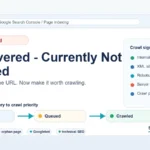
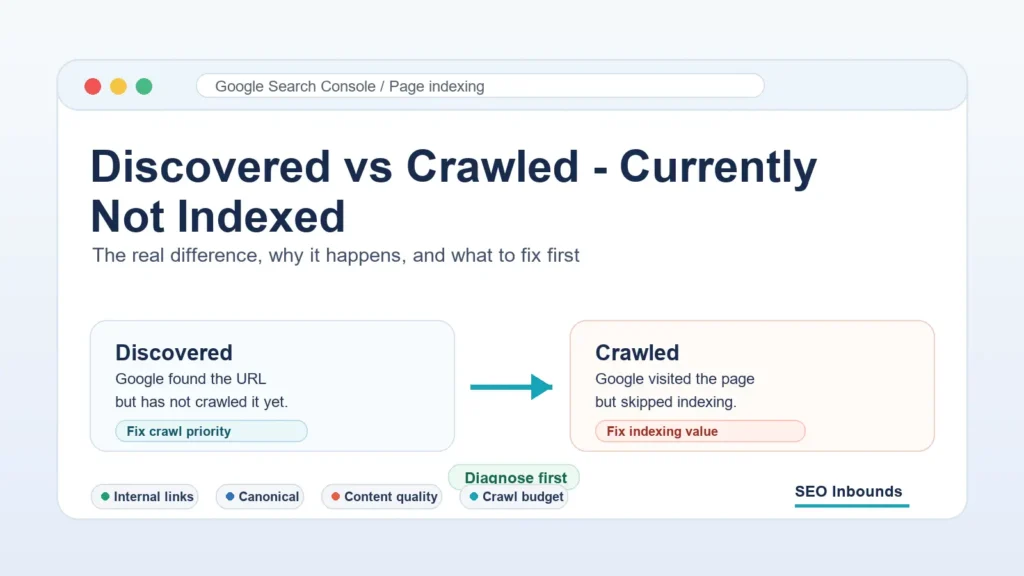
Discovered – currently not indexed means Google knows the URL exists, but has not crawled it yet.
Crawled – currently not indexed means Google visited the page, but decided not to index it right now.
That one difference changes the entire fix.
If your problem is only Crawled – currently not indexed, read this dedicated guide on Crawled – currently not indexed.
If a page is discovered but not crawled, your first job is to make the page easier and more worthwhile for Google to crawl.
If a page is crawled but not indexed, your first job is to make the page more worthy of being stored in Google’s index.
This guide breaks down the difference, the real reasons behind both statuses, and the exact steps to fix them without wasting time on the wrong problem.
Here is the fastest way to understand the difference.
| Search Console status | What it means | Main problem | Best first fix |
| Discovered – currently not indexed | Google found the URL but has not crawled it yet. | Crawl priority, weak internal links, sitemap-only discovery, too many low-value URLs, or server/crawl delay. | Add strong internal links, improve site structure, reduce low-value URLs, and request indexing after checks. |
| Crawled – currently not indexed | Google crawled the URL but did not index it. | Content quality, duplication, weak value, canonical confusion, poor intent match, or low trust signals. | Improve the page, remove overlap, strengthen internal links, and request indexing after meaningful updates. |
The mistake most site owners make is treating both statuses the same.
They submit the URL again. Then again. Then again.
That rarely fixes the issue because the problem is not always discovery.
Sometimes Google already found the page.
Sometimes Google already crawled the page.
The question is whether Google thinks the page is important enough to crawl or useful enough to index.
Read complete guide for free URL submission to search engines
How Google Handles a URL Before It Ranks
Before a page can rank, it usually moves through four stages.
| Stage | What happens |
| Discovery | Google finds the URL through links, sitemap, feeds, redirects, or other known URLs. |
| Crawling | Googlebot visits the URL and downloads the page. |
| Indexing | Google decides whether the page should be stored in the index. |
| Ranking | Google decides when and where the page should appear in search results. |
The two Search Console statuses happen at different stages.
Discovered – currently not indexed gets stuck before crawling.
Crawled – currently not indexed gets stuck after crawling but before indexing.
That is why the fix must be different.
What Discovered – Currently Not Indexed Means
Discovered – currently not indexed means Google knows about the URL but has not crawled it yet.
The URL might have been found from:
- Your XML sitemap
- An internal link
- An external backlink
- A feed
- A category page
- A redirect
- A previously known URL
But Google has not visited the page yet.
This does not always mean the page is bad. Sometimes it simply means Google has not prioritized the crawl.
But if important pages stay in this status for a long time, it usually points to crawl priority or site architecture problems.
Common Reasons for Discovered – Currently Not Indexed
1. The Page Is Only in the Sitemap
A sitemap helps Google discover URLs, but it does not make every URL important.
If a page is only discoverable through the XML sitemap and has no strong internal links, Google may delay crawling it.
Think of the sitemap as a list of addresses.
Internal links are the roads.
If no road leads to the page, Google may not rush to visit it.
How to fix it
Add internal links from pages that are already indexed and related.
Good places to link from:
- Your homepage
- Relevant blog posts
- Category pages
- Topic hubs
- Navigation sections
- High-traffic pages
- Recently updated articles
Do not use random links. Use contextual links that make sense.
For example:
If your URL is stuck before Google even crawls it, start with this Discovered – currently not indexed fix checklist.
That kind of link tells Google and readers what the page is about.
2. The Page Is an Orphan Page
An orphan page has no internal links from the rest of your site.
Google might find it in the sitemap, but it does not look important.
Orphan pages often sit in Discovered – currently not indexed because Google has no strong path to them.
How to fix it
Link to the page from at least three relevant internal pages.
For important posts, do more:
- Add the page to a topic hub
- Link to it from a pillar guide
- Add it to a relevant category
- Add it to a “related guides” block
- Link back from supporting articles
Your internal linking should make it obvious which pages are important.
3. The Site Has Too Many Low-Value URLs
If Google discovers too many low-value URLs on your site, it can become more selective.
This often happens on WordPress sites with:
- Tag archives
- Thin category pages
- Author archives
- Search result pages
- Attachment pages
- Date archives
- Parameter URLs
- Duplicate paginated pages
- Old posts with no traffic
Google may discover all of these URLs, but not crawl them quickly.
How to fix it
Clean up index bloat.
Ask this for every URL type:
Does this page deserve to appear in Google search?
If the answer is no, consider:
- Noindex
- Canonicalization
- Redirects
- Deletion
- Better internal structure
The goal is not to make Google crawl everything.
The goal is to make Google focus on the pages that matter.
4. The Page Is New
New URLs can sit in Discovered – currently not indexed for a while, especially on newer or smaller sites.
Google may know the URL exists but wait before crawling it.
This is common when many new pages are published at once.
How to fix it
For new pages:
- Add internal links immediately
- Include the URL in the sitemap
- Make sure the page is not blocked
- Share it through real channels
- Link from a relevant older post
- Request indexing once after checking the live URL
Do not publish a new article and leave it floating alone.
Every new article should enter the site with links.
5. The Server Is Slow or Unstable
If Google sees server issues, crawl delays can happen.
This is more common on sites with:
- Cheap hosting
- Frequent 5xx errors
- Slow response times
- Security blocks
- Aggressive firewalls
- Plugin conflicts
- CDN misconfiguration
Google does not want to overload a server.
If the site responds poorly, crawl activity can slow down.
How to fix it
Check:
- Server logs
- Search Console crawl stats
- Hosting uptime
- 5xx errors
- CDN firewall rules
- Page response time
- WordPress plugin conflicts
If Googlebot gets blocked or slowed down, fix that before rewriting content.
What Crawled – Currently Not Indexed Means
Crawled – currently not indexed means Google visited the page but did not index it.
This is a different problem.
Google has already crawled the URL. It saw the page. It had a chance to process it.
But after that, Google did not add it to the index.
That can happen for technical reasons, but it is often a quality or duplication issue.
In simple words:
Google found the page.
Google crawled the page.
Google was not convinced.
Common Reasons for Crawled – Currently Not Indexed
1. The Page Is Too Similar to Another Page
This is one of the biggest reasons.
If Google already has a stronger page from your site on the same topic, it may skip the new one.
Example:
- Page 1: What is off-page SEO?
- Page 2: Off-page SEO checklist
- Page 3: Off-page SEO techniques
- Page 4: Off-page SEO strategy
These can all exist, but each page must have a separate purpose.
If Page 1 already contains a full checklist, Google may not need Page 2.
How to fix it
Give each page a different job.
| Page | Job |
| What is off-page SEO? | Explain the concept. |
| Off-page SEO checklist | Give the step-by-step process. |
| Off-page SEO techniques | List methods with examples. |
| Off-page SEO strategy | Show how to plan and prioritize work. |
Then remove overlap.
Shorten competing sections and link to the deeper page instead.
2. The Page Does Not Add Enough Value
Google does not index every page it crawls.
If a page repeats what already exists across the web, Google may skip it.
This is common with topics like:
- SEO checklist
- Free backlink sites
- Guest posting sites
- Directory submission sites
- What is SEO?
- Search Console indexing errors
These topics are not impossible. They just need a stronger angle.
How to fix it
Add something competitors do not have:
- Original screenshots
- Real examples
- A diagnostic table
- A downloadable template
- A process checklist
- A 7-day action plan
- A before-and-after case
- A priority score
- A comparison chart
Do not just write more words.
Add more usefulness.
3. The Search Intent Is Not Clear
If a page tries to answer too many things at once, Google may not know which query it should rank for.
For this topic, the searcher wants a clear comparison:
- What does Discovered – currently not indexed mean?
- What does Crawled – currently not indexed mean?
- Which status is worse?
- What should I fix first?
- Should I request indexing?
- How long should I wait?
If the article wanders into general SEO too early, it loses the intent.
How to fix it
Answer the main question near the top.
Then go deeper.
A strong structure looks like this:
- Quick difference
- Comparison table
- Meaning of each status
- Causes of each status
- Fix plan for each status
- Diagnostic checklist
- What to do next
This is the structure searchers actually need.
4. Google Selected a Different Canonical
Sometimes Google crawls a page but chooses another URL as the canonical.
That means Google thinks another page is the better version.
This can happen because of:
- Duplicate content
- Similar pages
- Wrong canonical tag
- HTTP/HTTPS conflicts
- Trailing slash conflicts
- Parameter URLs
- Printer-friendly versions
- Category or tag duplicates
How to fix it
Use URL Inspection.
Check:
- User-declared canonical
- Google-selected canonical
If they are different, do not ignore it.
It means Google is choosing another URL instead of the one you want.
Fix the canonical signal, reduce duplication, and strengthen internal links to the preferred page.
5. The Page Has Weak Internal Links
Even after crawling, internal links still matter.
They help Google understand importance, topic, and relationship.
A page with weak internal links may be crawled once and then ignored.
How to fix it
Add internal links from related pages using natural anchor text.
Good anchors:
- Google Search Console indexing issue
- Discovered vs Crawled – Currently Not Indexed
- why Google found your page but did not index it
- fix Crawled – currently not indexed
- fix Discovered – currently not indexed
Avoid forcing the same exact anchor everywhere.
Use a natural mix.
Discovered vs Crawled – Currently Not Indexed: Main Difference
The easiest way to remember it:
Discovered is a crawl problem.
Crawled is usually an indexing decision problem.
Here is the full comparison.
| Factor | Discovered – currently not indexed | Crawled – currently not indexed |
| Google knows the URL exists | Yes | Yes |
| Google has crawled the page | Not yet | Yes |
| Main issue | Crawl priority | Indexing value |
| Best first check | Internal links and crawl signals | Content quality and duplication |
| Common cause | Sitemap-only URL or weak internal linking | Page too similar, thin, or not useful enough |
| Technical checks | Robots.txt, server status, sitemap, internal links | Noindex, canonical, rendering, page quality |
| Content checks | Usually secondary | Very important |
| Fix approach | Make Google want to crawl it | Make Google want to index it |
| Should you request indexing? | Yes, after checking crawl access | Yes, after improving the page |
Both statuses matter.
But they tell you different things.
Which Status Is Worse?
Neither is automatically worse.
But Crawled – currently not indexed usually requires more work.
Why?
Because Google has already seen the page.
If Google crawled it and still skipped indexing, you need to improve the page or fix a stronger signal.
Discovered – currently not indexed can be easier to fix if the page is good but poorly linked.
In many cases:
- Discovered means Google needs a stronger reason to crawl.
- Crawled means Google needs a stronger reason to index.
That second one is usually harder.
How to Diagnose the Correct Problem
Do not guess.
Use this workflow.
Step 1: Inspect the URL in Search Console
Open URL Inspection and check:
- Is the URL on Google?
- Last crawl date
- Crawl allowed?
- Page fetch
- Indexing allowed?
- User-declared canonical
- Google-selected canonical
- Referring page
- Crawled as mobile or desktop
This tells you whether the issue is access, crawling, canonicalization, or indexing.
Step 2: Test the Live URL
Run a live test.
Make sure Google can access the current page.
Look for:
- Server errors
- txt blocks
- Noindex
- Redirects
- Soft 404 signals
- Mobile rendering issues
- Blocked resources
If the live test is clean, the issue is probably not basic access.
Step 3: Check Internal Links
Ask:
- How many internal links point to this page?
- Are they from relevant pages?
- Are they from indexed pages?
- Are the anchors descriptive?
- Is the page part of a topic cluster?
If the page is isolated, fix links first.
Step 4: Compare Similar Pages
Search your own site with:
site:yourdomain.com “target keyword”
Look for pages that compete with the same intent.
If multiple pages answer the same query, Google may choose only one.
Fix this by:
- Merging
- Canonicalizing
- Rewriting intent
- Shortening overlapping sections
- Strengthening the preferred page
Step 5: Judge the Page Like a Search Result
Ask the uncomfortable question:
If this page appeared on page one, would it deserve to be there?
Look at:
- Original examples
- Practical steps
- Tables
- Screenshots
- Clear answer
- Expert judgment
- Better structure
- Better formatting
- Stronger internal links
If the page is generic, improve it before asking Google to index it.
Fix Plan for Discovered – Currently Not Indexed
Use this when Google knows the URL but has not crawled it.
1. Add Contextual Internal Links
This is the first fix.
Add links from relevant indexed pages.
Do not add one link from a random sidebar and call it done.
Use meaningful context.
Example:
If Search Console shows Discovered – currently not indexed, Google has found the URL but has not crawled it yet.
That anchor and surrounding text make the topic clear.
2. Add the URL to a Topic Hub
Important pages should not live alone.
Create a small hub around indexing issues:
- Google indexing issues
- Discovered currently not indexed
- Crawled currently not indexed
- Sitemap indexing problems
- Index bloat
- Internal linking for indexing
Then interlink them naturally.
This builds topical authority and improves crawl paths.
3. Check Sitemap Freshness
Make sure the URL appears in your XML sitemap.
Also check:
- Correct canonical URL
- Correct trailing slash
- No redirected URL
- No noindex URL
- Updated lastmod if the page changed meaningfully
A sitemap should support your internal links, not replace them.
4. Reduce Low-Value URLs
If Google is discovering too many weak pages, clean them up.
Common low-value URLs:
- Thin tags
- Empty categories
- Date archives
- Attachment pages
- Search result pages
- Duplicate parameter pages
Google’s time should be spent on your best pages.
5. Request Indexing Once
After checking access and internal links, request indexing.
Do it once.
Then wait.
If nothing changes, strengthen the page and its internal signals instead of repeatedly submitting the same URL.
Fix Plan for Crawled – Currently Not Indexed
Use this when Google has crawled the URL but skipped indexing.
1. Improve the First 300 Words
The introduction should prove the page is useful fast.
Avoid slow intros like:
In today’s digital world, indexing is very important for SEO.
Use a direct intro:
Discovered – currently not indexed and Crawled – currently not indexed are not the same issue. One means Google has not crawled the URL yet. The other means Google crawled it but chose not to index it.
That gives the reader the answer immediately.
2. Add a Better Comparison Table
This keyword needs comparison.
A strong table improves engagement because readers can understand the answer in seconds.
Include:
- Meaning
- Stage
- Main cause
- First check
- Best fix
- When to request indexing
3. Remove Cannibalization
If another article on your site already explains the same issue, decide which page should rank.
Then adjust the weaker page.
Options:
- Merge the pages
- Canonicalize one page
- Rewrite one page around a different angle
- Shorten overlapping sections
- Add a stronger internal link to the main page
Do not make Google choose between two nearly identical answers.
4. Add Original Details
Generic advice is easy to skip.
Make the page harder to replace.
Add:
- A real workflow
- A checklist
- Examples
- Screenshots
- WordPress-specific notes
- Rank Math or Yoast checks
- Sitemap examples
- Internal link examples
The more useful the page is, the stronger the indexing case becomes.
5. Check Canonical Signals
If Google selected a different canonical, the page may not be indexed no matter how many times you submit it.
Check:
- Self-referencing canonical
- HTTP to HTTPS redirect
- Trailing slash consistency
- Parameter duplicates
- Category/tag duplicates
- Similar pages with stronger links
Then fix the preferred URL signals.
6. Request Indexing After Real Changes
Request indexing after improving the page.
Do not request indexing before fixing the reason.
For Crawled – currently not indexed, repeated submission without improvement is usually wasted effort.
A Simple Decision Tree
Use this when you are not sure what to do.
| If Search Console says | Ask this | Do this first |
| Discovered – currently not indexed | Can Google easily reach this page through internal links? | Add internal links and check sitemap/access. |
| Discovered – currently not indexed | Is the page new? | Link to it, request indexing once, and wait. |
| Discovered – currently not indexed | Are there many low-value URLs on the site? | Clean index bloat and improve crawl priority. |
| Crawled – currently not indexed | Is the page too similar to another page? | Merge, canonicalize, or rewrite the intent. |
| Crawled – currently not indexed | Is the content generic? | Add original value, examples, and a practical workflow. |
| Crawled – currently not indexed | Did Google choose a different canonical? | Fix canonical and internal link signals. |
This keeps you from applying the wrong fix.
Example: New Blog Post Stuck in Discovered
You publish a blog post.
It appears in the sitemap.
Search Console says Discovered – currently not indexed.
The page has no internal links except the blog archive.
This is not a content-quality problem yet.
Google has not crawled the page.
The fix:
- Add links from 3 related posts.
- Add the post to the right category.
- Link to it from a pillar page.
- Confirm it is in the sitemap.
- Inspect the URL.
- Request indexing once.
If Google then crawls the page and moves it to Crawled – currently not indexed, the problem has changed.
Now you need to improve the page itself.
Example: SEO Guide Stuck in Crawled
You publish a 2,000-word SEO guide.
Google crawls it.
Search Console says Crawled – currently not indexed.
You inspect the page and see:
- It has a self-referencing canonical
- No noindex tag
- Page fetch is successful
- Mobile rendering is fine
- The page is in the sitemap
That means the basic technical checks are probably clean.
Now check the content.
Maybe the page overlaps with a stronger pillar guide.
Maybe the intro is generic.
Maybe it has no examples.
Maybe it repeats advice already published on 10,000 SEO blogs.
The fix is not another indexing request.
The fix is to make the article more useful, more distinct, and better connected internally.
What Not to Do
Avoid these mistakes.
- Do Not Keep Resubmitting the Same URL
Request indexing is not a ranking button.
If nothing changed, Google has no new reason to index the page.
- Do Not Build Spam Backlinks
Weak backlinks from random sites will not solve a quality problem.
They can make the site look worse. read guide for how to build backlinks for free.
- Do Not Publish More Similar Pages
If Google is already confused by overlapping pages, publishing more of them makes the problem bigger.
Fix the cluster first.
- Do Not Noindex Important Pages Too Quickly
Sometimes a page needs better links or better content.
Noindex is useful for low-value pages, not for pages that should be improved.
- Do Not Assume All Not Indexed URLs Are Bad
Google says not every not-indexed URL is a problem.
Duplicate URLs, redirected URLs, blocked pages, and removed pages may be correctly excluded.
Your goal is not to index every URL.
Your goal is to get every important canonical page indexed.
Final Checklist
Use this before you decide what to do.
| Check | Discovered | Crawled |
| URL in sitemap | Yes | Yes |
| Internal links added | Critical | Important |
| Page crawled by Google | No | Yes |
| Noindex absent | Check | Check |
| Robots.txt allows crawling | Check | Check |
| Canonical correct | Check | Critical |
| Similar pages reviewed | Useful | Critical |
| Content quality improved | Useful | Critical |
| Index bloat reviewed | Important | Important |
| Request indexing | After crawl checks | After content/canonical fixes |
Final Thoughts
Discovered – currently not indexed and Crawled – currently not indexed are not the same issue.
Discovered means Google knows about the page but has not crawled it.
Crawled means Google visited the page but did not index it.
So the fix depends on the stage.
For Discovered – currently not indexed, improve crawl signals:
- Add internal links
- Improve site architecture
- Keep the sitemap clean
- Reduce low-value URLs
- Make the page easier to reach
For Crawled – currently not indexed, improve indexing value:
- Match search intent
- Add original value
- Remove duplication
- Fix canonical confusion
- Strengthen internal links
- Make the page clearly better than overlapping alternatives
That is the real difference.
One status asks: “Why should Google crawl this?”
The other asks: “Why should Google index this?”
read guide for free backlink submission sites
Answer the right question, and you will fix the right problem.