You published a page. Nobody told Google. That is still one of the most common reasons new content sits invisible for weeks or months.
Free URL submission to search engines is the fastest, most direct way to tell Google, Bing, and Yandex that a page exists. It sounds simple because it is simple. But there is a right way, a wrong way, and a few updates in 2026 that make the process faster than it has ever been.
This guide covers every free method available in 2026, from the Google Search Console URL Inspection tool to XML sitemap submission, the IndexNow protocol, and a verified list of free submission sites. No paid tools, no agency fees. Just the methods that work.
Already building your backlink profile alongside your indexing strategy? The guide to free backlink submission sites covers 100+ verified platforms that speed up discovery by getting high-authority sites to link to your pages first seoinbounds.com/free-backlink-submission-sites/
For the full strategy behind indexing, backlinks, profiles, and content distribution, start with the off-page SEO guide
What Is URL Submission to Search Engines and Why Does It Matter?
URL submission is the act of directly notifying a search engine that a specific page exists and should be crawled and indexed. Without indexing, a page does not appear in search results, regardless of how well-written or optimized it is.
Search engines discover pages in two ways: passively through crawl bots following links across the web, and actively when you submit a URL or sitemap directly. Passive discovery works eventually, but can take weeks or months for new sites with low authority or few inbound links.
Manual URL submission shortcuts that wait. It puts your page in the priority crawl queue today.
Crawling vs Indexing: The Difference That Matters
| Stage | What Happens | What You Control |
| Crawling | Google bot visits and reads your page | Submit URL, submit sitemap, fix crawl errors |
| Indexing | Google stores and categorizes your page in its database | Content quality, no noindex tags, canonical tags |
| Ranking | Google decides where your page appears for queries | Content depth, backlinks, keyword relevance, page speed |
Submission affects crawling speed. You cannot force indexing or ranking. But you can make sure Google finds your page as fast as possible.
Do You Still Need to Submit Your URL Manually in 2026?
Technically, no. Google and Bing discover most pages automatically. If your site has good internal linking, a submitted sitemap, and some inbound links, new pages usually get found within days to weeks without manual action.
Practically, yes, for two situations specifically.
- New sites and new pages: A site with low authority and few inbound links can take weeks before Google discovers new content. Manual submission puts it in the queue immediately.
- After significant updates: If you rewrote a page, fixed a technical error, added schema markup, or changed metadata, requesting a recrawl tells Google to fetch the updated version instead of serving the outdated cached one.
For ongoing indexing management, the best free SEO tools for WordPress guide covers how Google Search Console and Rank Math’s Instant Indexing feature work together to automate URL submission directly from your WordPress dashboard.
How to Submit Your URL to Google for Free (Step-by-Step)
Google’s URL submission tool lives inside Google Search Console. It is free, official, and the fastest way to get a specific page into Google’s crawl queue.
Method 1: URL Inspection Tool (Best for Individual Pages)
- Go to Google Search Console search.google.com/search-console
- Verify your site if you haven’t already (HTML file, DNS record, or Google Analytics)
- Paste your full URL into the search bar at the top of any GSC page
- Click ‘Test Live URL’ to confirm the page is accessible with no crawl errors
- Once the live test returns green, click ‘Request Indexing’
- Google confirms the URL has been added to the priority crawl queue
Google caps individual URL submissions at approximately 10 to 12 per day per Search Console property. Once the limit is hit, the Request Indexing button greys out for 24 hours. Use this for your most important new posts not every minor update.
Method 2: Sitemap Submission (Best for Multiple Pages)
Submitting your XML sitemap tells Google about all your pages simultaneously. Essential for new sites.
- In Google Search Console, click Sitemaps under Indexing in the left navigation
- Enter your sitemap URL in the Add a new sitemap field
- For WordPress with Rank Math or Yoast, your sitemap is at: yourdomain.com/sitemap_index.xml
- Click Submit Google confirms receipt and shows discovered vs indexed count
- Check back after 48 hours and investigate any gap between those two numbers
Method 3: Rank Math Instant Indexing (WordPress Only)
Rank Math integrates directly with Google’s Indexing API. Pages submitted this way are typically crawled within minutes to hours.
- In WordPress, go to Rank Math > General Settings > Instant Indexing
- Connect your Google account and enable the API
- On publish or update, Rank Math sends a direct indexing request to Google automatically
| Method | Best For | Daily Limit | Speed |
| URL Inspection Tool | Individual pages, major updates | 10-12 URLs/day | Hours to days |
| Sitemap Submission | All pages, new sites | No URL limit | Days to weeks |
| Rank Math Instant Indexing | WordPress, any content | 200 URLs/day | Minutes to hours |
| Internal links from indexed pages | All new content | No limit | Next crawl cycle |
How to Submit Your Website to Bing for Free
Bing matters more in 2026 than most people realize. It powers Yahoo search results, DuckDuckGo, and Microsoft’s AI-powered search. Submitting to Bing covers all three simultaneously.
Method 1: Bing Webmaster Tools
- Go to bing.com/webmasters and sign in with a Microsoft account
- Add your site you can import your Google Search Console property directly (fastest option)
- Verify ownership via XML file, meta tag, or CNAME DNS record
- Navigate to URL Submission in the left menu
- Paste your URL and click Submit
- Bing allows up to 10,000 URL submissions per day far more generous than Google
| Feature | Google Search Console | Bing Webmaster Tools |
| Daily URL limit | 10-12 (URL Inspection) | 10,000 |
| Sitemap submission | Yes | Yes (import from GSC directly) |
| IndexNow support | Not officially | Yes primary supporter |
| Downstream engines covered | Google only | Bing, Yahoo, DuckDuckGo, Ecosia |
| Free to use | Yes | Yes |
How to Submit to Yandex, Baidu, and Other Search Engines
Google and Bing together cover over 95% of English-language search traffic. For most readers, those two are all you need. For non-English markets, here is the direct submission route for each major engine.
| Search Engine | Market | Free Submission | Notes |
| Yandex | Russia, Eastern Europe | webmaster.yandex.com | Yandex Webmaster Tools, sitemap + URL submission |
| Baidu | China | zhanzhang.baidu.com | Requires Chinese phone verification |
| DuckDuckGo | Privacy-focused global | No direct submission | Uses Bing index submit to Bing |
| Yahoo | US, Japan | No direct submission | Uses Bing index submit to Bing |
| Ecosia | Eco-conscious global | No direct submission | Uses Bing index submit to Bing |
| Naver | South Korea | searchadvisor.naver.com | Naver Search Advisor, sitemap submission |
The practical takeaway: submit to Google Search Console and Bing Webmaster Tools. You are covered for 95%+ of global search traffic including DuckDuckGo, Yahoo, and Ecosia as downstream users of Bing’s index.
How to Submit Your XML Sitemap (Fastest Way to Index All Pages)
An XML sitemap lists every page you want search engines to index. It tells Google and Bing what exists, when it was last updated, and how important each page is relative to others. For new sites, sitemap submission is the single highest-leverage free action you can take.
Finding Your Sitemap URL
- Rank Math (WordPress): yourdomain.com/sitemap_index.xml
- Yoast SEO (WordPress): yourdomain.com/sitemap_index.xml
- Other platforms: try yourdomain.com/sitemap.xml
- If unsure: search Google for site:yourdomain.com sitemap
Submitting to Google
- Open Google Search Console
- Click Sitemaps under Indexing in the left menu
- Enter your sitemap URL and click Submit
- Check back in 48 hours investigate any gap between discovered and indexed count
Submitting to Bing
- Open Bing Webmaster Tools
- Click Sitemaps in the left navigation
- Click Submit Sitemap and enter your sitemap URL or import your full GSC property
| Sitemap Metric | Healthy Signal | Problem Signal |
| Discovered vs Indexed | Close to equal (within 10%) | Large gap means indexing errors |
| Errors reported | 0 errors | Any error needs investigating |
| Last read date | Within last 7 days | More than 30 days resubmit |
| URLs included | Only pages you want indexed | Tag pages, author archives, thin duplicates |
WordPress sites often include tag pages, author pages, and category archives in sitemaps automatically. These thin pages waste crawl budget. Exclude them via Rank Math or Yoast settings.
IndexNow: The Free Protocol That Notifies Search Engines Instantly
IndexNow is an open protocol that lets you notify search engines about new or updated content in real time. Instead of waiting for a crawler to discover your page, IndexNow sends a direct ping the moment you publish. As of May 2026, it is supported by Bing, Yandex, Naver, and several smaller engines. Google has not officially joined but has indicated interest.
How to Enable IndexNow on WordPress
- Rank Math: Go to Rank Math > General Settings > Instant Indexing > enable IndexNow
- Yoast SEO: Built-in from Yoast v19+ enable under SEO > General > Integrations
- Manual: Generate key at bing.com/indexnow, add text file to server root, ping API on publish
| Protocol | Engines Notified | Speed | Free? |
| IndexNow | Bing, Yandex, Naver, others | Minutes to hours | Yes |
| GSC URL Inspection | Google only | Hours to days | Yes (10-12/day limit) |
| XML Sitemap | Any engine you submit to | Days to weeks | Yes |
| Rank Math Instant Indexing | Google (Indexing API) | Minutes to hours | Yes (200/day) |
Using IndexNow and Rank Math Instant Indexing together covers both Bing and Google for near-instant indexing. This combination is one of the most underused free tools in WordPress SEO right now.
Free Search Engine Submission Sites List 2026 (Verified)
Beyond Google and Bing, third-party services claim to submit your URL to dozens of search engines simultaneously. Most of these services are largely irrelevant since smaller engines account for under 1% of total search traffic. A few are worth knowing about for RSS feed indexing and For business citations and directory inclusion, use the free directory submission sites guide
| Platform | DA | Submits To | Worth Using? |
| Google Search Console | — | Google only | Yes mandatory |
| Bing Webmaster Tools | — | Bing, Yahoo, DuckDuckGo | Yes mandatory |
| IndexNow (bing.com/indexnow) | — | Bing, Yandex, Naver | Yes set up once |
| Yandex Webmaster | — | Yandex only | Yes if targeting Russia/CIS |
| Entireweb.com | 68 | 70+ smaller engines | Optional minor value |
| SubmitExpress.com | 55 | 70+ directories + engines | Optional minor value |
| FreeWebSubmission.com | 52 | Top directories + engines | Optional use sparingly |
| Ping-O-Matic | 72 | Blog ping services | Yes for blogs fast RSS indexing |
| Pingler.com | 58 | Ping services, RSS directories | Yes for new blog posts |
Avoid any service charging money for ‘guaranteed submission to 1,000 search engines.’ Most of those engines have zero search traffic. Any paid submission service targeting smaller engines is not worth a single cent.
For building the broader off-page presence that helps Google trust and index your site faster, the free article submission sites guide and free blog submission sites guide cover 300+ verified platforms that work alongside your URL submission strategy.
How to Check If Your URL Is Indexed (3 Quick Methods)
Method 1: Google Search Site Command
Open Google and type: site:yourdomain.com/your-exact-page-url
If the page appears, it is indexed. If Google returns zero results for that exact URL, it has not been indexed yet. Takes 10 seconds and works for any page.
Method 2: Google Search Console URL Inspection
Paste your URL into the search bar at the top of any Search Console page. The tool shows whether the URL is indexed, when Google last crawled it, what version was cached, and any issues preventing indexing. Most detailed free indexing check available.
Method 3: Bing Webmaster Tools URL Inspection
In Bing Webmaster Tools, go to URL Inspection and paste your URL. Bing shows crawl status, indexed status, and any errors encountered when accessing the page.
| Method | Time | Detail Level | Best For |
| site: command in Google | 10 seconds | Basic indexed or not | Quick checks on any page |
| GSC URL Inspection | 30 seconds | Full crawl data, cached version, errors | Diagnosing indexing problems |
| Bing URL Inspection | 30 seconds | Bing-specific crawl and index status | Verifying Bing coverage |
Why Your URL Is Not Getting Indexed (And How to Fix It)
Submitted your URL and still not in Google after two weeks? One of these is almost always the cause.
1. Noindex Tag Is Blocking Google
Most common cause. Check your Rank Math or Yoast settings for that specific post look for the Advanced tab that controls the robots setting. Also verify your WordPress Reading settings haven’t enabled ‘Discourage search engines from indexing this site.’
2. Blocked by Robots.txt
Check yourdomain.com/robots.txt. If a Disallow rule covers your URL, Google’s crawlers are being told to skip it. Use Google Search Console’s robots.txt tester under Settings to verify and fix.
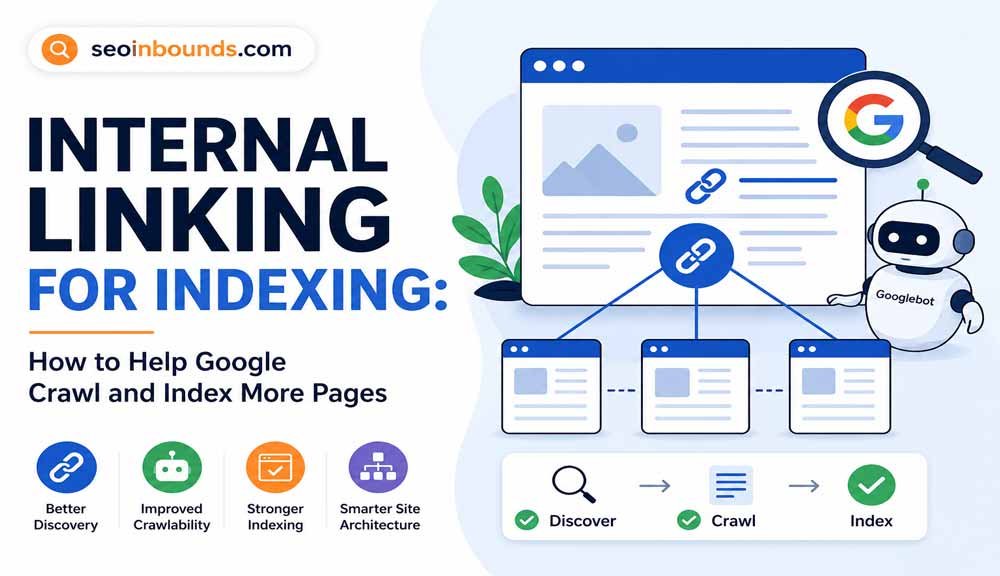
3. No Internal Links to the Page
Google follows links. If your new page has zero internal links from other indexed pages, crawlers may never organically find it. Add at least two internal links from relevant published posts immediately after publishing. You can also use social bookmarking sites to get fresh URLs discovered faster
This is one reason the free backlink submission strategy helps with indexing as well as authority external links from high-DA platforms give Google’s crawlers an additional path to discover your content.
4. Thin or Duplicate Content
Google may crawl your page but choose not to index it if the content is too thin (under 300 words), duplicated from another page, or lacks original value. Improve the content before resubmitting. Use trending SEO keywords to improve topic relevance before resubmitting
| Problem | How to Diagnose | How to Fix |
| Noindex tag | GSC URL Inspection > Coverage tab | Remove noindex in Rank Math/Yoast settings |
| Robots.txt blocked | GSC Settings > robots.txt tester | Remove Disallow rule for the URL |
| No internal links | GSC Links > Internal links report | Add links from 2-3 published posts |
| Thin content | Under 400 words, no unique value | Expand to 800+ words minimum |
| Sitemap not submitted | GSC Sitemaps > no sitemap listed | Submit sitemap_index.xml in GSC |
| Duplicate content | GSC Coverage > Duplicate without canonical | Add canonical tag to preferred URL |
Guest posts on indexed authority sites also give Google another path to discover new pages
How Long Does It Take Google to Index a New URL?
The honest answer is: it varies. Here are realistic timelines based on submission method and your site’s current authority. High-authority profile creation sites can also create crawlable branded links to important pages.”
| Submission Method | Average Indexing Time | What Speeds It Up |
| GSC URL Inspection (Request Indexing) | 3-5 days average, sometimes hours | High site authority, strong content, inbound links |
| Rank Math Instant Indexing API | Minutes to hours | Must be configured correctly with Google Indexing API |
| XML Sitemap submission | Days to 2 weeks for new sites | Existing indexed pages, regular crawl activity |
| IndexNow (Bing) | Minutes to hours | Bing-only, instant for all supported engines |
| No submission (passive discovery) | 1 week to 3 months | Inbound links from high-DA indexed pages |
For seoinbounds.com at its current stage, using GSC URL Inspection combined with Rank Math Instant Indexing is the fastest free combination available. Submit in GSC immediately after publishing, and let Rank Math handle automatic submissions for every future post.
Web 2.0 submission sites can help create high-DA discovery paths for new content.
Frequently Asked Questions
How do I submit my URL to Google for free?
Go to Google Search Console, paste your URL in the top search bar, run the live URL test, and click Request Indexing. For multiple pages, submit your XML sitemap under Indexing > Sitemaps.
Is free search engine submission still worth it in 2026?
Yes for Google Search Console and Bing Webmaster Tools both are official free tools from the two dominant search engines. Third-party services that submit to hundreds of smaller engines are largely irrelevant since those engines have negligible traffic. Focus on Google and Bing exclusively.
What is the difference between crawling and indexing?
Crawling is when Google’s bot visits your page and reads its content. Indexing is when Google stores that content in its database and makes it eligible to appear in search results. A page can be crawled without being indexed if the content is too thin, duplicate, or low quality. Manual URL submission speeds up crawling whether Google indexes it depends on content quality.
How many URLs can I submit to Google Search Console per day?
The URL Inspection tool caps individual submissions at approximately 10 to 12 URLs per day per property. For bulk submissions, use sitemap resubmission no daily limit. Rank Math’s Instant Indexing API allows up to 200 URLs per day through Google’s Indexing API.
What is IndexNow and should I use it?
IndexNow is a free protocol that notifies Bing, Yandex, and Naver about new or updated content in real time. It takes five minutes to set up once via Rank Math or Yoast and runs automatically afterward. It doesn’t replace Google Search Console submission but covers the entire Bing ecosystem instantly.
Why is my submitted URL not appearing in Google after two weeks?
Most common causes are a noindex tag on the page, a robots.txt Disallow rule blocking crawlers, no internal links pointing to the page from indexed pages, or content Google considers too thin or duplicate. Use the URL Inspection tool in Google Search Console to check the exact coverage status and any detected issues.
Do I need to pay for URL submission services?
No. Google Search Console and Bing Webmaster Tools are both completely free. Any service charging money for ‘guaranteed submission to search engines’ is not worth paying for. The free official tools from Google and Bing are always more reliable than third-party paid services.